
一、打包简介
springboot的打包方式有很多种。可以打war包,可以打jar包,可以使用jekins进行打包部署的。不推荐用war包,SpringBoot适合前后端分离,打成jar进行部署更加方便快捷。
二、自定义启动页
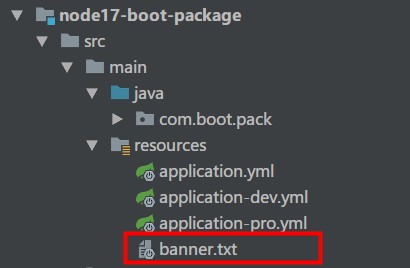
banner.txt内容
======================= No BUG=======================这样就替换了原先SpringBoot的启动样式。
三、打包配置
1、打包pom配置
<!-- 项目构建 --><build> <finalName>${project.artifactId}</finalName> <resources> <resource> <directory>src/main/resources</directory> <filtering>true</filtering> </resource> </resources> <plugins> <!-- SpringBoot插件:JDK编译插件 --> <plugin> <groupId>org.apache.maven.plugins</groupId> <artifactId>maven-compiler-plugin</artifactId> <version>2.3.2</version> <configuration> <source>1.8</source> <target>1.8</target> </configuration> </plugin> <!-- SpringBoot插件:打包 --> <plugin> <groupId>org.spring work.boot</groupId> <artifactId>spring-boot-maven-plugin</artifactId> <configuration> <jvmArguments>-Dfile.encoding=UTF-8</jvmArguments> <executable>true</executable> </configuration> <executions> <execution> <goals> <goal>repackage</goal> </goals> </execution> </executions> </plugin> <!-- 跳过单元测试 --> <plugin> <groupId>org.apache.maven.plugins</groupId> <artifactId>maven-surefire-plugin</artifactId> <configuration> <skipTests>true</skipTests> </configuration> </plugin> </plugins></build>2、多环境配置
1)application.yml配置
server: port: 8017spring: application: name: node17-boot-package profiles: active: dev2)application-dev.yml配置
project: sign: develop3)application-pro.yml配置
project: sign: product3、环境测试接口
package com.boot.pack.controller;import org.spring work.beans.factory.annotation.Value;import org.spring work.web.bind.annotation.RequestMapping;import org.spring work.web.bind.annotation.RestController;@RestControllerpublic class PackController { @Value("${project.sign}") private String sign ; @RequestMapping("/getSign") public String getSign (){ return sign ; }}四、打包执行
1、指定模块打包
mvn clean install -pl node17-boot-package -am -Dmaven.test.skip=true生成Jar包:node17-boot-package.jar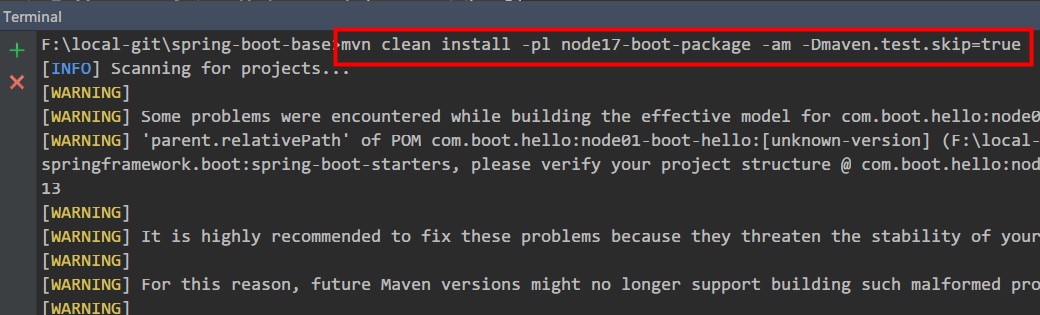
2、运行Jar包
运行dev环境
java -jar node17-boot-package.jar --spring.profiles.active=dev
运行pro环境
java -jar node17-boot-package.jar --spring.profiles.active=pro
http://localhost:8017/getSigndev环境打印:developpro环境打印:product五、源代码地址
GitHub地址:知了一笑https://github.com/cicadasmile/spring-boot- 码云地址:知了一笑https://gitee.com/cicadasmile/spring-boot- 继续阅读与本文标签相同的文章
上一篇 :
10%基线性能的阿里云T5云服务器,够用吗
下一篇 :
Dubbo实战(一) - 入门
-
Serverless 的喧哗与骚动(一)附Serverless行业发展回顾
2026-05-20栏目: 教程
-
HashMap面试必问的6个点,你知道几个?
2026-05-20栏目: 教程
-
Mac 升级MAMP后 mysql不能使用解决办法
2026-05-20栏目: 教程
-
RPA机器人与API之间的界限
2026-05-20栏目: 教程
-
3年java开发面试BAT,你必须彻底搞定Maven!
2026-05-20栏目: 教程