
一、前言
在平时的写作过程中,经常需要将一些操作动作和效果图截图成gif格式,使得涵盖的信息更全面更生动,有时候可以将整个操作过程和运行效果录制成MP4,但是文件体积比较大,而且很多网站不便于上传,基本上都支持gif动图,一般一个5秒左右的gif,800*600分辨率,可以很好的控制在500KB内,这样就比较完美的支持各大网站上传动图。
最开始使用的是ScreenGif.exe,用了很久,感觉还可以,后面一个朋友推荐用LICEcap.exe,体积更小,压缩比更高,再到后来发现有个gif.h开源的类,调用其中的方法可以实现将多张图片合并到一张gif中去,而且还是跨平台的,本人亲自在WIN+UBUNTU测试成功。
最初的代码是倪大侠给的,我在此基础上重新完善了下,使得可以直接拖动窗体大小来改变录屏区域的大小。增加了对Qt4和其他编译器的支持。
二、实现的功能
- 1:可设置要录制屏幕的宽高,支持右下角直接拉动改变.
- 2:可设置变宽的宽度
- 3:可设置录屏控件的背景颜色
- 4:可设置录制的帧数
- 5:录制区域可自由拖动选择
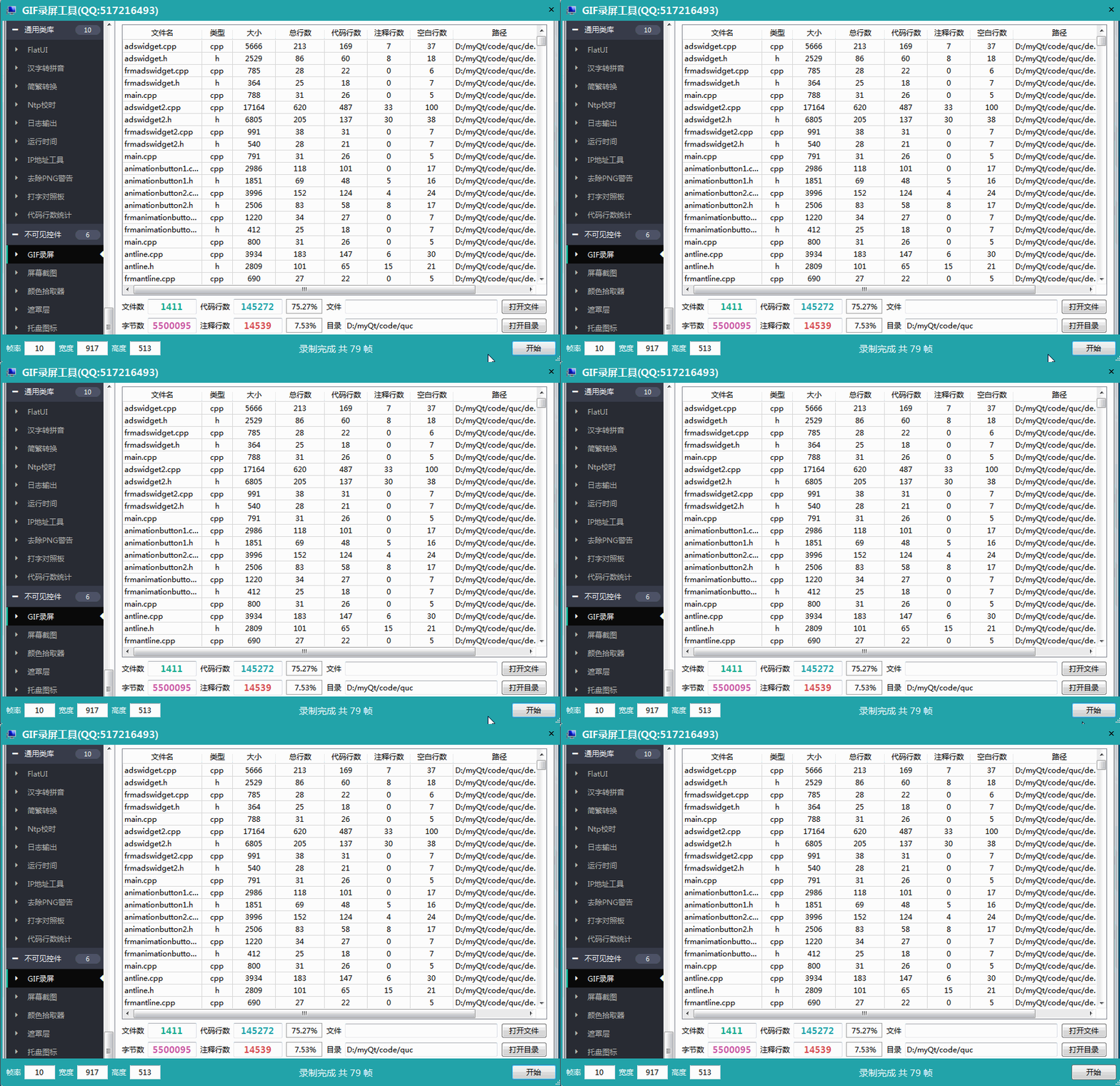
三、效果图
四、头文件代码
#ifndef GIFWIDGET_H#define GIFWIDGET_H/** * GIF录屏控件 作者:feiyangqingyun(QQ:517216493) 2019-4-3 * 1:可设置要录制屏幕的宽高,支持右下角直接拉动改变. * 2:可设置变宽的宽度 * 3:可设置录屏控件的背景颜色 * 4:可设置录制的帧数 * 5:录制区域可自由拖动选择 */#include <QDialog>#include "gif.h"class QLineEdit;class QLabel;#ifdef quc#if (QT_VERSION < QT_VERSION_CHECK(5,7,0))#include <QtDesigner/QDesignerExportWidget>#else#include <QtUiPlugin/QDesignerExportWidget>#endifclass QDESIGNER_WIDGET_EXPORT GifWidget : public QDialog#elseclass GifWidget : public QDialog#endif{ Q_ Q_PROPERTY(int borderWidth READ getBorderWidth WRITE setBorderWidth) Q_PROPERTY(QColor bgColor READ getBgColor WRITE setBgColor)public: static GifWidget *Instance(); explicit GifWidget(QWidget *parent = 0);protected: bool eventFilter(Q *watched, QEvent *event); void resizeEvent(QResizeEvent *); void paintEvent(QPaintEvent *);private: static QScopedPointer<GifWidget> self; QWidget *widgetTop; //标题栏 QWidget *widgetMain; //中间部分 QWidget *widgetBottom; //底部栏 QLineEdit *txtFps; //帧率输入框 QLineEdit *txtWidth; //宽度输入框 QLineEdit *txtHeight; //高度输入框 QPushButton *btnStart; //开始按钮 QLabel *labStatus; //显示状态信息 int fps; //帧数 100为1s int borderWidth; //边框宽度 QColor bgColor; //背景颜色 int count; //帧数计数 QString fileName; //保存文件名称 QRect rectGif; //截屏区域 QTimer *timer; //截屏定时器 Gif gif; //gif类对象 Gif::GifWriter *gifWriter; //gif写入对象public: int getBorderWidth() const; QColor getBgColor() const;private slots: void initControl(); void initForm(); void saveImage(); void record(); void closeAll(); void resizeForm();public Q_SLOTS: void setBorderWidth(int borderWidth); void setBgColor(const QColor &bgColor);};#endif // GIFWIDGET_H五、核心代码
#pragma execution_character_set("utf-8")#include "gifwidget.h"#include "qmutex.h"#include "qlabel.h"#include "qlineedit.h"#include "qpushbutton.h"#include "qlayout.h"#include "qpainter.h"#include "qevent.h"#include "qstyle.h"#include "qpixmap.h"#include "qtimer.h"#include "qdatetime.h"#include "qapplication.h"#include "qdesktopwidget.h"#include "qdesktopservices.h"#include "qfiledialog.h"#include "qurl.h"#include "qdebug.h"#if (QT_VERSION > QT_VERSION_CHECK(5,0,0))#include "qscreen.h"#endifQScopedPointer<GifWidget> GifWidget::self;GifWidget *GifWidget::Instance(){ if (self.isNull()) { static QMutex mutex; QMutexLocker locker(&mutex); if (self.isNull()) { self.reset(new GifWidget); } } return self.data();}GifWidget::GifWidget(QWidget *parent) : QDialog(parent){ this->initControl(); this->initForm();}bool GifWidget::eventFilter(Q *watched, QEvent *event){ static QPoint mousePoint; static bool mousePressed = false; QMouseEvent *mouseEvent = static_cast<QMouseEvent *>(event); if (mouseEvent->type() == QEvent::MouseButtonPress) { if (mouseEvent->button() == Qt::LeftButton) { mousePressed = true; mousePoint = mouseEvent->globalPos() - this->pos(); return true; } } else if (mouseEvent->type() == QEvent::MouseButtonRelease) { mousePressed = false; return true; } else if (mouseEvent->type() == QEvent::MouseMove) { if (mousePressed && (mouseEvent->buttons() && Qt::LeftButton)) { this->move(mouseEvent->globalPos() - mousePoint); return true; } } return QWidget::eventFilter(watched, event);}void GifWidget::resizeEvent(QResizeEvent *e){ //拉动右下角改变大小自动赋值 txtWidth->setText(QString::number(widgetMain->width())); txtHeight->setText(QString::number(widgetMain->height())); QDialog::resizeEvent(e);}void GifWidget::paintEvent(QPaintEvent *){ int width = txtWidth->text().toInt(); int height = txtHeight->text().toInt(); rectGif = QRect(borderWidth, widgetTop->height(), width - (borderWidth * 2), height); QPainter painter(this); painter.setPen(Qt::NoPen); painter.setBrush(bgColor); painter.drawRoundedRect(this->rect(), 5, 5); painter.setCompositionMode(QPainter::CompositionMode_Clear); painter.fillRect(rectGif, Qt::SolidPattern);}int GifWidget::getBorderWidth() const{ return this->borderWidth;}QColor GifWidget::getBgColor() const{ return this->bgColor;}void GifWidget::initControl(){ this->set Name("GifWidget"); this->resize(800, 600); this->setSizeGripEnabled(true); QVBoxLayout *verticalLayout = new QVBoxLayout(this); verticalLayout->setSpacing(0); verticalLayout->setContentsMargins(11, 11, 11, 11); verticalLayout->set Name("verticalLayout"); verticalLayout->setContentsMargins(0, 0, 0, 0); widgetTop = new QWidget(this); widgetTop->set Name("widgetTop"); widgetTop->setMinimumSize(QSize(0, 35)); widgetTop->setMaximumSize(QSize(16777215, 35)); QHBoxLayout *layoutTop = new QHBoxLayout(widgetTop); layoutTop->setSpacing(0); layoutTop->setContentsMargins(11, 11, 11, 11); layoutTop->set Name("layoutTop"); layoutTop->setContentsMargins(0, 0, 0, 0); QPushButton *btnIcon = new QPushButton(widgetTop); btnIcon->set Name("btnIcon"); QSizePolicy sizePolicy(QSizePolicy::Minimum, QSizePolicy::Expanding); sizePolicy.setHorizontalStretch(0); sizePolicy.setVerticalStretch(0); sizePolicy.setHeightForWidth(btnIcon->sizePolicy().hasHeightForWidth()); btnIcon->setSizePolicy(sizePolicy); btnIcon->setMinimumSize(QSize(35, 0)); btnIcon->setFlat(true); layoutTop->addWidget(btnIcon); QLabel *lab = new QLabel(widgetTop); lab ->set Name("lab "); layoutTop->addWidget(lab ); QSpacerItem *horizontalSpacer = new QSpacerItem(87, 20, QSizePolicy::Expanding, QSizePolicy::Minimum); layoutTop->addItem(horizontalSpacer); QPushButton *btnClose = new QPushButton(widgetTop); btnClose->set Name("btnClose"); sizePolicy.setHeightForWidth(btnClose->sizePolicy().hasHeightForWidth()); btnClose->setSizePolicy(sizePolicy); btnClose->setMinimumSize(QSize(35, 0)); btnClose->setFocusPolicy(Qt::NoFocus); btnClose->setFlat(true); layoutTop->addWidget(btnClose); verticalLayout->addWidget(widgetTop); widgetMain = new QWidget(this); widgetMain->set Name("widgetMain"); QSizePolicy sizePolicy1(QSizePolicy::Preferred, QSizePolicy::Expanding); sizePolicy1.setHorizontalStretch(0); sizePolicy1.setVerticalStretch(0); sizePolicy1.setHeightForWidth(widgetMain->sizePolicy().hasHeightForWidth()); widgetMain->setSizePolicy(sizePolicy1); verticalLayout->addWidget(widgetMain); widgetBottom = new QWidget(this); widgetBottom->set Name("widgetBottom"); widgetBottom->setMinimumSize(QSize(0, 45)); widgetBottom->setMaximumSize(QSize(16777215, 45)); QHBoxLayout *layoutBottom = new QHBoxLayout(widgetBottom); layoutBottom->setSpacing(6); layoutBottom->setContentsMargins(11, 11, 11, 11); layoutBottom->set Name("layoutBottom"); layoutBottom->setContentsMargins(9, 9, -1, -1); QLabel *labFps = new QLabel(widgetBottom); labFps->set Name("labFps"); layoutBottom->addWidget(labFps); txtFps = new QLineEdit(widgetBottom); txtFps->set Name("txtFps"); txtFps->setMaximumSize(QSize(50, 16777215)); txtFps->setAlignment(Qt::AlignCenter); layoutBottom->addWidget(txtFps); QLabel *labWidth = new QLabel(widgetBottom); labWidth->set Name("labWidth"); layoutBottom->addWidget(labWidth); txtWidth = new QLineEdit(widgetBottom); txtWidth->set Name("txtWidth"); txtWidth->setEnabled(true); txtWidth->setMaximumSize(QSize(50, 16777215)); txtWidth->setAlignment(Qt::AlignCenter); layoutBottom->addWidget(txtWidth); QLabel *labHeight = new QLabel(widgetBottom); labHeight->set Name("labHeight"); layoutBottom->addWidget(labHeight); txtHeight = new QLineEdit(widgetBottom); txtHeight->set Name("txtHeight"); txtHeight->setEnabled(true); txtHeight->setMaximumSize(QSize(50, 16777215)); txtHeight->setAlignment(Qt::AlignCenter); layoutBottom->addWidget(txtHeight); labStatus = new QLabel(widgetBottom); labStatus->set Name("labStatus"); QSizePolicy sizePolicy2(QSizePolicy::Expanding, QSizePolicy::Preferred); sizePolicy2.setHorizontalStretch(0); sizePolicy2.setVerticalStretch(0); sizePolicy2.setHeightForWidth(labStatus->sizePolicy().hasHeightForWidth()); labStatus->setSizePolicy(sizePolicy2); labStatus->setAlignment(Qt::AlignCenter); layoutBottom->addWidget(labStatus); btnStart = new QPushButton(widgetBottom); btnStart->set Name("btnStart"); sizePolicy.setHeightForWidth(btnStart->sizePolicy().hasHeightForWidth()); btnStart->setSizePolicy(sizePolicy); layoutBottom->addWidget(btnStart); verticalLayout->addWidget(widgetBottom); lab ->setText("GIF录屏工具(QQ:517216493)"); labFps->setText("帧率"); labWidth->setText("宽度"); labHeight->setText("高度"); btnStart->setText("开始"); this->setWindow (lab ->text()); btnIcon->setIcon(style()->standardIcon(QStyle::SP_ComputerIcon)); btnClose->setIcon(style()->standardIcon(QStyle::SP_ BarCloseButton)); connect(btnClose, SIGNAL(clicked(bool)), this, SLOT(closeAll())); connect(btnStart, SIGNAL(clicked(bool)), this, SLOT(record())); connect(txtWidth, SIGNAL(editingFinished()), this, SLOT(resizeForm())); connect(txtHeight, SIGNAL(editingFinished()), this, SLOT(resizeForm()));}void GifWidget::initForm(){ borderWidth = 3; bgColor = QColor(34, 163, 169); fps = 10; txtFps->setText(QString::number(fps)); gifWriter = 0; timer = new QTimer(this); timer->setInterval(100); connect(timer, SIGNAL(timeout()), this, SLOT(saveImage())); this->setAttribute(Qt::WA_TranslucentBackground); this->setWindowFlags(Qt:: lessWindowHint | Qt::WindowSystemMenuHint | Qt::WindowMinMaxButtonsHint | Qt::WindowStaysOnTopHint); this->installEventFilter(this); QStringList qss; qss.append("QLabel{color:#ffffff;}"); qss.append("#btnClose,#btnIcon{border:none;border-radius:0px;}"); qss.append("#btnClose:hover{background-color:#ff0000;}"); qss.append("#btnClose{border-top-right-radius:5px;}"); qss.append("#lab {font:bold 16px;}"); qss.append("#labStatus{font:15px;}"); this->setStyleSheet(qss.join(""));}void GifWidget::saveImage(){ if (!gifWriter) { return; }#if (QT_VERSION <= QT_VERSION_CHECK(5,0,0)) //由于qt4没有RGBA8888,采用最接近RGBA8888的是ARGB32,颜色会有点偏差 QPixmap pix = QPixmap::grabWindow(0, x() + rectGif.x(), y() + rectGif.y(), rectGif.width(), rectGif.height()); QImage image = pix.toImage().convertToFormat(QImage::Format_ARGB32);#else QScreen *screen = QApplication::primaryScreen(); QPixmap pix = screen->grabWindow(0, x() + rectGif.x(), y() + rectGif.y(), rectGif.width(), rectGif.height()); QImage image = pix.toImage().convertToFormat(QImage::Format_RGBA8888);#endif gif.GifWrite (gifWriter, image.bits(), rectGif.width(), rectGif.height(), fps); count++; labStatus->setText(QString("正在录制 第 %1 帧").arg(count));}void GifWidget::record(){ if (btnStart->text() == "开始") { if (0 != gifWriter) { delete gifWriter; gifWriter = 0; } //先弹出文件保存对话框 //fileName = qApp->applicationDirPath() + "/" + QDateTime::currentDateTime().toString("yyyy-MM-dd-hh-mm-ss.gif"); fileName = QFileDialog::getSaveFileName(this, "选择保存位置", qApp->applicationDirPath() + "/", "gif图片(*.gif)"); if (fileName.isEmpty()) { return; } int width = txtWidth->text().toInt(); int height = txtHeight->text().toInt(); fps = txtFps->text().toInt(); gifWriter = new Gif::GifWriter; bool bOk = gif.GifBegin(gifWriter, fileName.toLocal8Bit().data(), width, height, fps); if (!bOk) { delete gifWriter; gifWriter = 0; return; } count = 0; labStatus->setText("开始录制..."); btnStart->setText("停止"); //延时启动 timer->setInterval(1000 / fps); QTimer::singleShot(1000, timer, SLOT(start())); //saveImage(); } else { timer->stop(); gif.GifEnd(gifWriter); delete gifWriter; gifWriter = 0; labStatus->setText(QString("录制完成 共 %1 帧").arg(count)); btnStart->setText("开始"); QDesktopServices::openUrl(QUrl(fileName)); }}void GifWidget::closeAll(){ if (0 != gifWriter) { delete gifWriter; gifWriter = 0; } this->close();}void GifWidget::resizeForm(){ int width = txtWidth->text().toInt(); int height = txtHeight->text().toInt(); this->resize(width, height + widgetTop->height() + widgetBottom->height());}void GifWidget::setBorderWidth(int borderWidth){ if (this->borderWidth != borderWidth) { this->borderWidth = borderWidth; this->update(); }}void GifWidget::setBgColor(const QColor &bgColor){ if (this->bgColor != bgColor) { this->bgColor = bgColor; this->update(); }}六、控件介绍
- 超过149个精美控件,涵盖了各种仪表盘、进度条、进度球、指南针、曲线图、标尺、温度计、导航条、导航栏,flatui、高亮按钮、滑动选择器、农历等。远超qwt集成的控件数量。
- 每个类都可以独立成一个单独的控件,零耦合,每个控件一个头文件和一个实现文件,不依赖其他文件,方便单个控件以源码形式集成到项目中,较少代码量。qwt的控件类环环相扣,高度耦合,想要使用其中一个控件,必须包含所有的代码。
- 全部纯Qt编写,QWidget+QPainter绘制,支持Qt4.6到Qt5.12的任何Qt版本,支持mingw、msvc、gcc等编译器,支持任意操作系统比如windows+linux+mac+嵌入式linux等,不乱码,可直接集成到Qt Creator中,和自带的控件一样使用,大部分效果只要设置几个属性即可,极为方便。
- 每个控件都有一个对应的单独的包含该控件源码的DEMO,方便参考使用。同时还提供一个所有控件使用的集成的DEMO。
- 每个控件的源代码都有详细中文注释,都按照统一设计规范编写,方便学习自定义控件的编写。
- 每个控件默认配色和demo对应的配色都非常精美。
- 超过130个可见控件,6个不可见控件。
- 部分控件提供多种样式风格选择,多种指示器样式选择。
- 所有控件自适应窗体拉伸变化。
- 集成自定义控件属性设计器,支持拖曳设计,所见即所得,支持导入导出 格式。
- 自带activex控件demo,所有控件可以直接运行在ie浏览器中。
- 集成fontawesome图形字体+阿里巴巴iconfont收藏的几百个图形字体,享受图形字体带来的乐趣。
- 所有控件最后生成一个dll动态库文件,可以直接集成到qtcreator中拖曳设计使用。
- 目前已经有qml版本,后期会考虑出pyqt版本,如果用户需求量很大的话。
七、SDK下载
- SDK下载链接:https://pan.baidu.com/s/1A5Gd77kExm8Co5ckT51vvQ 提取码:877p
- 下载链接中包含了各个版本的动态库文件,所有控件的头文件,使用demo,自定义控件+属性设计器。
- 自定义控件插件开放动态库dll使用(永久免费),无任何后门和限制,请放心使用。
- 目前已提供26个版本的dll,其中包括了qt5.12.3 msvc2017 32+64 mingw 32+64 的。
- 不定期增加控件和完善控件,不定期更新SDK,欢迎各位提出建议,谢谢!
- widget版本(QQ:517216493)qml版本(QQ:373955953)三峰驼(QQ:278969898)。
- 涛哥的知乎专栏 Qt进阶之路 https://zhuanlan.zhihu.com/TaoQt
- 欢迎关注微信公众号【高效程序员】,C++/Python、学习方法、写作技巧、热门技术、职场发展等内容,干货多多,福利多多!
继续阅读与本文标签相同的文章
-
离屏渲染在车载导航中的应用
2026-05-21栏目: 教程
-
《分布式服务架构:原理、设计与实战》| 每日读本书
2026-05-21栏目: 教程
-
删除恢复的文件
2026-05-21栏目: 教程
-
选型宝访谈:怎样构建端到端的IT透视能力?
2026-05-21栏目: 教程
-
如何保障 API 设计的稳定性
2026-05-21栏目: 教程