
安装及使用
安装前提软件
centos
yum install perf -yyum install gcc -yyum install gcc-c++yum install cmake -yubuntu
apt install linux-tools-genericapt install linux-tools-commonFlameGraph
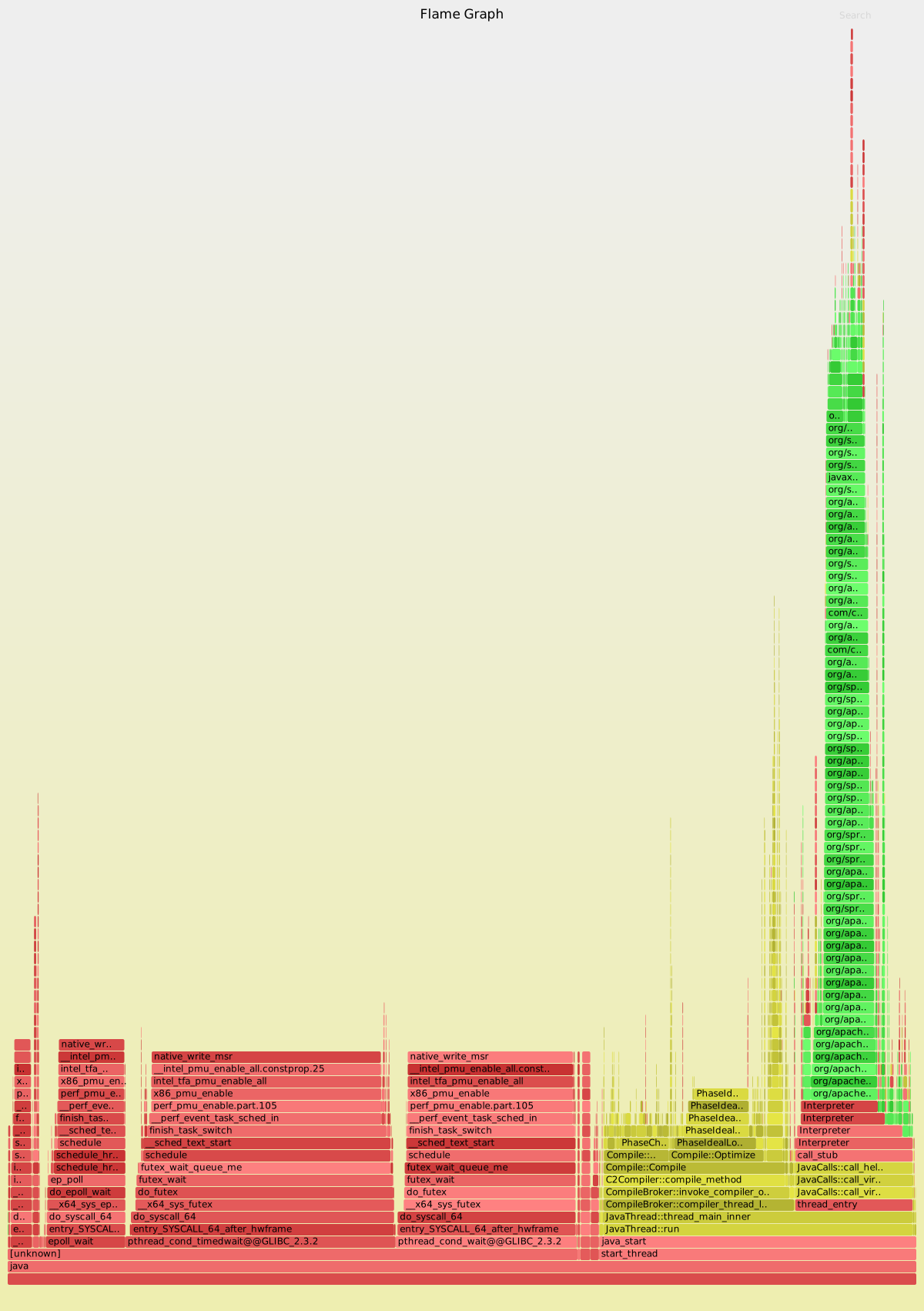
# 参考 http://www.brendangregg.com/FlameGraphs/cpuflamegraphs.html#Javaexport JAVA_HOME=/root/jdk1.8.0_181export PATH=$JAVA_HOME/bin:$PATHgit clone --depth=1 https://github.com/jrudolph/perf-map-agentcd perf-map-agentcmake .makebin/create- s-in /usr/bingit clone https://github.com/brendangregg/FlameGraph.gitexport FLAMEGRAPH_DIR=/root/git/FlameGraph# jvm启动参数需要增加-XX:+Preserve Pointerperf-java-flames 21322结果展示
svg格式的图片可以下钻,点击查看: [](http://oss.zrbcool.top/picgo/flamegraph-21322.svg)http://oss.zrbcool.top/picgo/flamegraph-21322.svg
容器内如何分析?
请参考笔者的另一篇文章Docker中使用FlameGraph分析JVM应用性能
更多参考
https://www.meiwen.com.cn/subject/xafqkqtx.htmlhttps://bugs.openjdk.java.net/browse/JDK-8068945https://bugs.openjdk.java.net/browse/JDK-6515172http://mail.openjdk.java.net/pipermail/hotspot-compiler-dev/2014-December/016477.htmlhttps://medium.com/netflix-techblog/java-in-flames-e763b3d32166https://blog.codecentric.de/en/2017/09/jvm-fire-using-flame-graphs-analyse-performance/https://github.com/jvm-profiling-tools/honest-profiler/wiki/How-to-Runhttps://gperftools.github.io/gperftools/pprof-vsnprintf-big.gifhttps://github.com/jvm-profiling-tools/perf-map-agenthttp://www.brendangregg.com/FlameGraphs/cpuflamegraphs.html#Javahttp://www.brendangregg.com/blog/2014-06-12/java-flame-graphs.htmlhttps://github.com/brendangregg/FlameGraph继续阅读与本文标签相同的文章
上一篇 :
【开发课堂】支付宝小程序灰度常见问题
下一篇 :
说说我为什么要做SEO实战培训
-
Flink从入门到放弃(入门篇4) DataStreamAPI
2026-05-23栏目: 教程
-
Flink重启策略
2026-05-23栏目: 教程
-
Flink的分布式缓存
2026-05-23栏目: 教程
-
Flink中的窗口
2026-05-23栏目: 教程
-
Flink中的Time
2026-05-23栏目: 教程