
- 安装前先检查一下是否已经安装
rpm -qa | grep gitlab- 已经安装就删除
rpm -e gitlab开始安装
- 通过yum安装默认是最新版本
sudo yum install -y curl policycoreutils-python openssh-serversudo systemctl enable sshdsudo systemctl start sshdsudo firewall-cmd --permanent --add-service=httpsudo systemctl reload firewalldsudo yum install postfixsudo systemctl enable postfixsudo systemctl start postfixcurl https://packages.gitlab.com/install/repositories/gitlab/gitlab-ee/ .rpm.sh | sudo bash- 最后一步https://gitlab.example.com改成你想要的地址如IP,https还要做其他配置,可用http
sudo EXTERNAL_URL="https://gitlab.example.com" yum install -y gitlab-ee- 也可在安装后进入修改
vim /etc/gitlab/gitlab.rb
- 重启配置
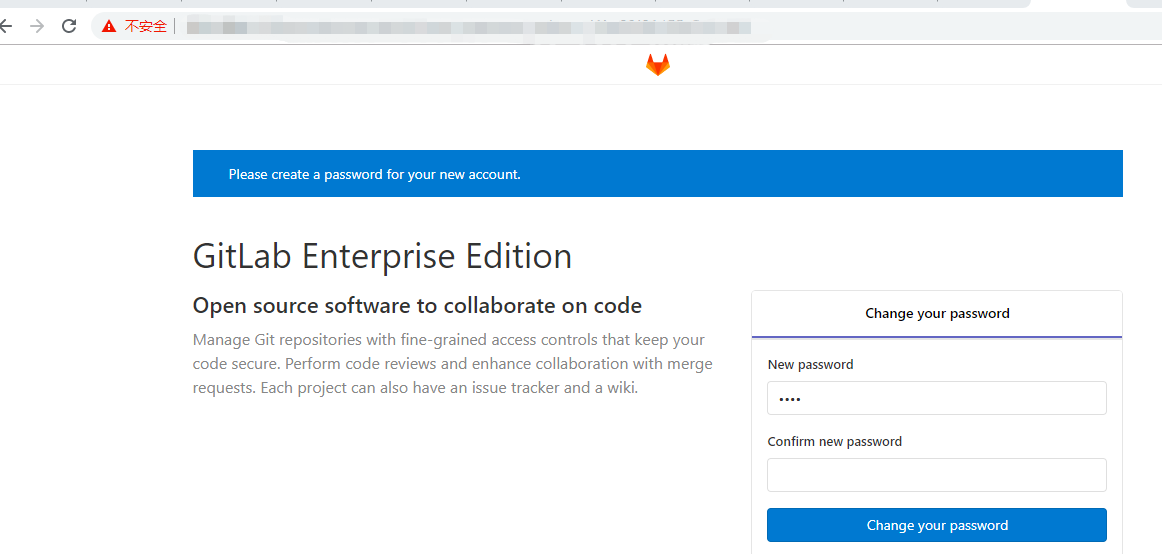
gitlab-ctl reconfigure//重启gitlabgitlab-ctl start或restart- 打开页面
- 如出现502以下操作大致可用解决
cd /var/lib/rpm//删除--db.01等等rm -rf __db.*rpm --rebuilddb继续阅读与本文标签相同的文章
上一篇 :
联想企业网盘垂直行业落地,助力企业云上建设
下一篇 :
阿里云企业邮箱在哪里续费
-
Flink实战(四) - DataSet API编程
2026-05-23栏目: 教程
-
GitOps 初探
2026-05-23栏目: 教程
-
在 Mac 上使用 Docker 自带的 Kubernetes
2026-05-23栏目: 教程
-
阿里云CDN搬站第二期 运维及管理
2026-05-23栏目: 教程
-
产品:“嘘,这事千万别让开发知道”
2026-05-23栏目: 教程