
如图:
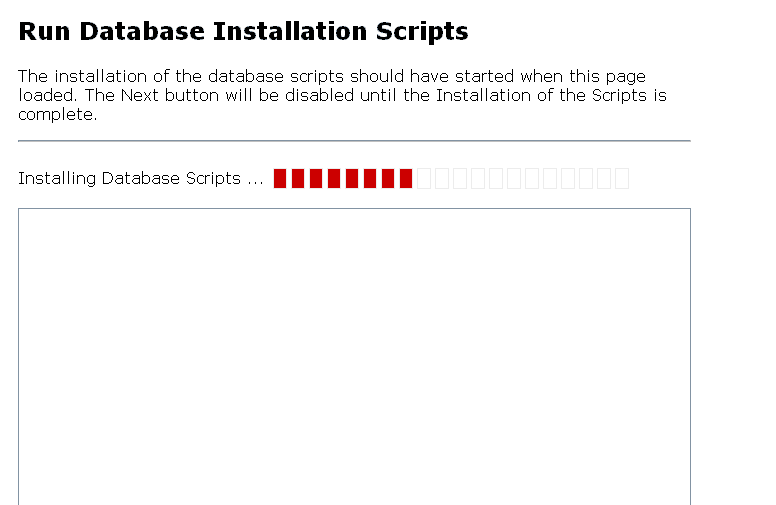
几经周折,最终发现自己犯了了一个很愚蠢的错误-没有仔细阅读说明。原来Startkit生成网站的安装在开始时要选择“Auto"安装类型才可以。再一次引用Startkit生成网站后给出的帮助提示:
Quick Installation
In order to make your experience with DotNetNuke as productive as possible,we have optimized the number of installation steps required for webdevelopers.
As long as you selected the default options for creating a web project inVisual Studio 2005 ( selected "File System" as the Location: for your website )and want to use the default SQL Server 2005 Express data included with theapplication, you simpy need to press Ctrl-F5 (ie. hold the Ctrl key downwhile clicking on the F5 function key) in order to complete your installation.The application may take a few minutes to build and you may find it useful tomonitor the build progress output ( select View / Output or CTRL-ALT-O withinVisual Studio 2005 ). When your web browser loads the initial Installationscreen, you must choose the Auto Installation option to successfullycomplete the process.
安装是应这样选择: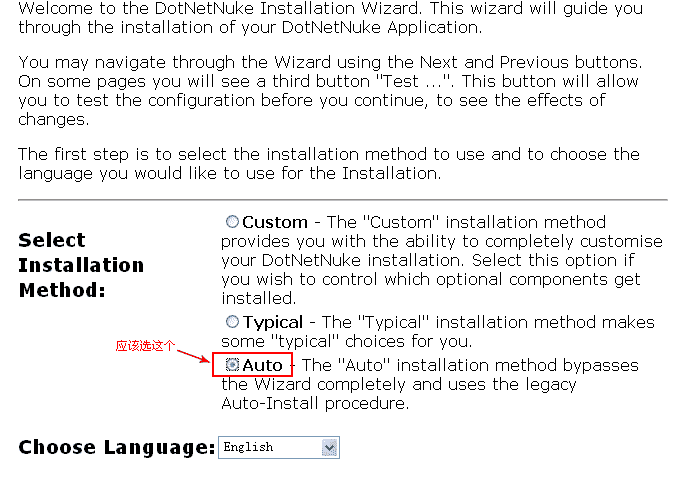
继续阅读与本文标签相同的文章
DotNetNuke各项业务外包
-
深入学习 Node.js Module
2026-05-25栏目: 教程
-
免费的DNN工具条
2026-05-25栏目: 教程
-
深入学习 Node.js EventEmitter
2026-05-25栏目: 教程
-
深入学习 Node.js Buffer
2026-05-25栏目: 教程
-
Angular 网络连接状态组件
2026-05-25栏目: 教程