
最近在写一些小的项目案例,以前都是公司的业务,很少往github上跑,这几个项目就push到github上了,具体的实施步骤如下。
1配置Git
- $ git config --global user.name xxx
- $ git config --global user.email xxx@gmail.com
2到github生成秘钥
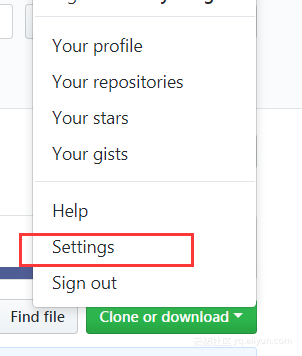
- 找到github的个人头像,点击在下拉菜单中找到setting。
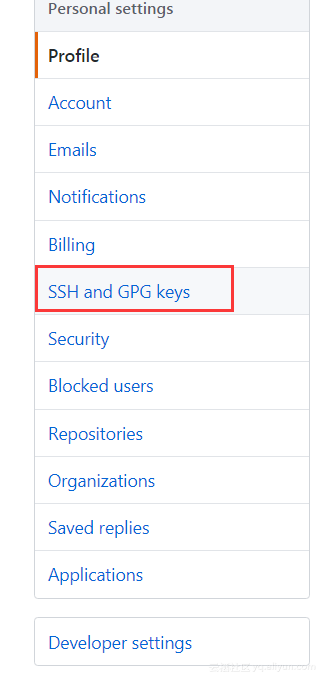
- 找到SSH and GPGkeys点击出现步骤3
3.点击generating SSH keys
4.出现如下,选择Generating a new SSH key and adding it to the ssh-agent,点击。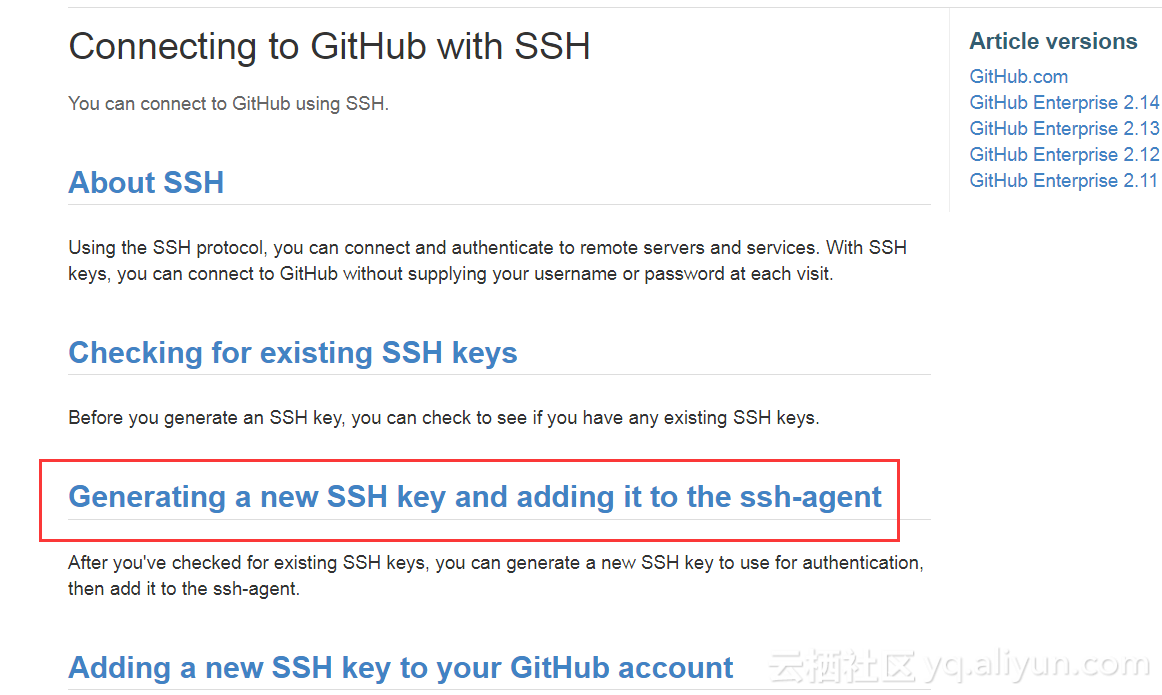
出现下图: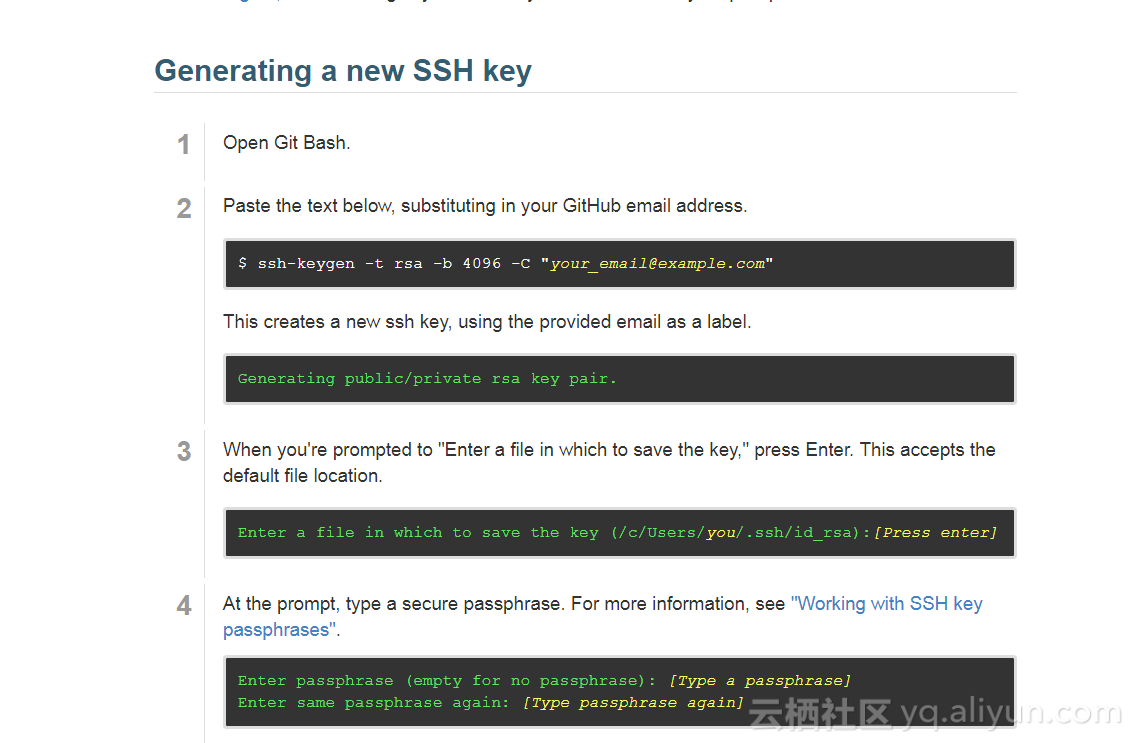
5.在git终端中输入ssh-keygen -t rsa -b 4096 -C "xxx@gmail.com",然后一路enter即可,直到出现了如下图案。
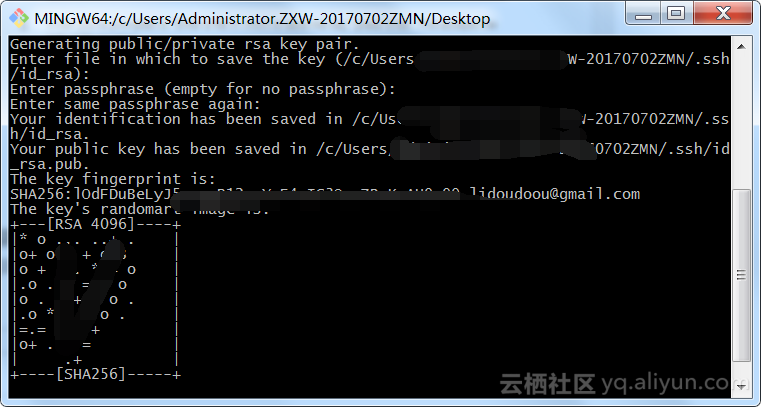
6.生成秘钥的位置已经告诉你了,只要用记事本打开复制到github即可。
步骤如下:
①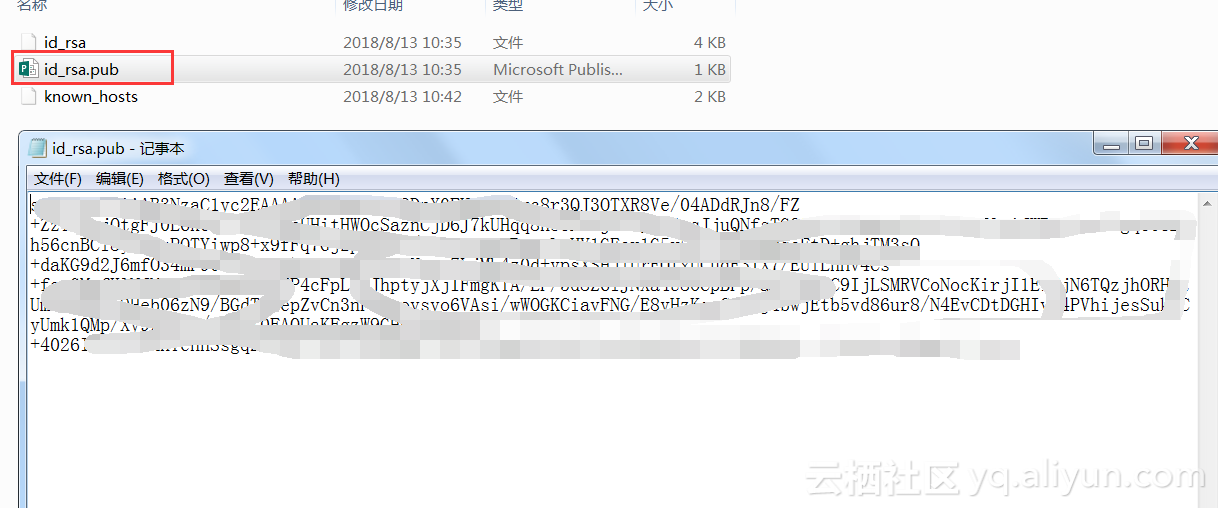
②复制秘钥,在出现的框中,黏贴即可。
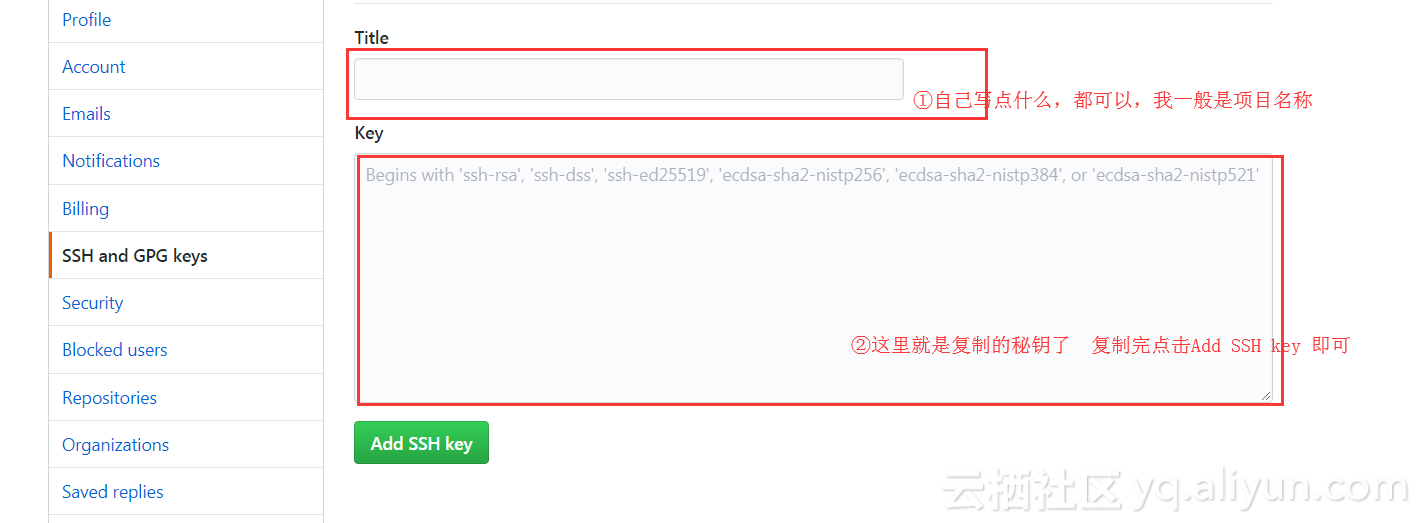
③完成之后,我们新建项目,按照readme.md的提示执行如下命令:
git initgit add README.mdgit commit -m "first commit"git remote add origin https://github.com/xxx/xxx.gitgit push -u origin master到此我们的项目就push到github了,这里我们操作是在项目目录下的操作的。
以后我们在进行操作只要三个步骤就可以了。
1、保存到暂存区:$ git add -A2、输入描述信息并提交到本地的 Git:$ git commit -m "Say something"3、将代码推送到 GitHub:$ git push以上就是本地项目push到github的一个简单入门,多使用即可。如有任何问题,请尝试自己解决。
继续阅读与本文标签相同的文章
-
cent os 7 下安装tensorflow
2026-05-25栏目: 教程
-
Linux下搭建数据分析平台 superset
2026-05-25栏目: 教程
-
spark-shell 启动报错, error: not found: value spark(低级已解决)
2026-05-25栏目: 教程
-
IDEA运行spark程序报错Exception in thread "main" java.net.BindException: Cannot
2026-05-25栏目: 教程
-
Linux下挂载镜像,并配置本地yum源
2026-05-25栏目: 教程