
如何输出
原生 JS

使用 Vue.js
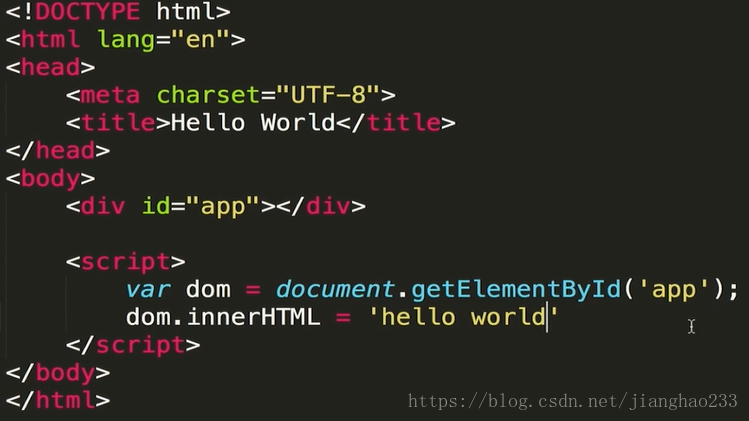
<!DOCTYPE html><html lang="en"><head> < charset="UTF-8"> < >Hello World</ > < src = "./vue.js"></ ></head><body> <div id ='app'>{{content}}</div> < > // var dom = document.getElementById('app'); // dom.innerHTML = 'hello world'; var app =new Vue({ el: '#app', data:{ content:'hello world' } }) </ ></body></html> var app =new Vue({ el: '#app', data:{ content:'hello world' } }) </ ></body></html>1.创建 Vue 的实例,接受配置项 ,el 配置项指 实例负责管理的区域 (让 Vue 实例接管 id 为 app 的 dom 标签里的所有内容)
el :限制了 Vue 实例接管或处理的范围
2.定义 data (包含数据) ,里面有 content 数据,内容是 hello world;
3.div 可以通过 {{ content}} 的语法调用 content 里的数据
二、隔 2 秒 更改数据
原生 JS
使用 Vue.js
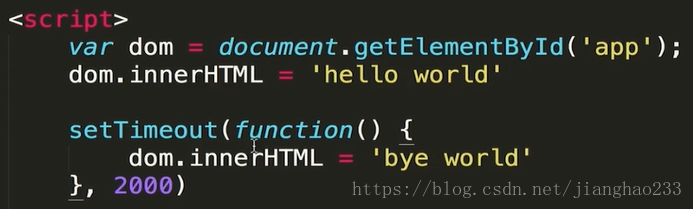
<!DOCTYPE html><html lang="en"><head> < charset="UTF-8"> < >Hello World</ > < src = "./vue.js"></ ></head><body> <div id ='app'>{{content}}</div> < > var app =new Vue({ el: '#app', data:{ content:'hello world' } }) setTimeout(function(){ app.$data.content = 'bye world' },2000) </ ></body></html> var app =new Vue({ el: '#app', data:{ content:'hello world' } }) setTimeout(function(){ app.$data.content = 'bye world' },2000) </ ></body></html>输出: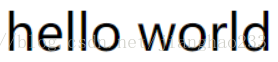
使用 Vue .js 时不需要关注 dom 上的操作;只需管理数据即可,数据中的内容是什么,则页面展示什么!
继续阅读与本文标签相同的文章
-
Java 学习(22)---(类的加载与反射)
2026-05-26栏目: 教程
-
初识 JSP---(JSTL)
2026-05-26栏目: 教程
-
初识 JSP---(EL表达式)
2026-05-26栏目: 教程
-
初识 JSP---(注释/小脚本/声明/指令/动作/内置对象)
2026-05-26栏目: 教程
-
初识 JSP---(Cookie / 重写URL / 防止表单重复提交)
2026-05-26栏目: 教程