
Vue 中使用 animate.css 库
在上篇博客 《初识 Vue---(Vue中CSS动画原理)》基础上开始这篇博客
在上篇完成 缓慢出现和隐藏功能 基础上,添加放大和缩小功能
<!DOCTYPE html><html lang="en"><head> < charset="UTF-8"> < >Vue 中使用 animate.css 库</ > < src="./vue.js"></ > <style> @key s bounce-in { 0%{ transform: scale(0); } 50%{ transform: scale(1.5); } 100%{ transform: scale(1); } } .fade-enter-active{ transform-origin: left center; animation: bounce-in 1s; } .fade-leave-active{ transform-origin: left center; animation: bounce-in 1s reverse; } </style></head><body> <div id ="root"> <transition name="fade"> <div v-if="show">hello world</div> </transition> <button @click="handleClick">切换</button> </div> < > var vm = new Vue({ el:'#root', data: { show:true }, methods:{ handleClick: function(){ this.show = !this.show } } }) </ ></body></html>输出:点击放大后缓慢消失,再点击出现后放大,最终恢复到正常大小
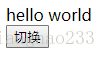
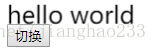

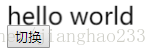
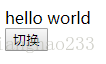
需要注意的就是使用 key s 方法定义样式
@key s bounce-in {
0%{
transform: scale(0);
}
50%{
transform: scale(1.5);
}
100%{
transform: scale(1);
}
}
自定义函数名称
<!DOCTYPE html><html lang="en"><head> < charset="UTF-8"> < >Vue 中使用 animate.css 库</ > < src="./vue.js"></ > <style> @key s bounce-in { 0%{ transform: scale(0); } 50%{ transform: scale(1.5); } 100%{ transform: scale(1); } } .active{ transform-origin: left center; animation: bounce-in 1s; } .leave{ transform-origin: left center; animation: bounce-in 1s reverse; } </style></head><body> <div id ="root"> <transition name="fade" enter-active-class="active" leave-active-class="leave"> <div v-if="show">hello world</div> </transition> <button @click="handleClick">切换</button> </div> < > var vm = new Vue({ el:'#root', data: { show:true }, methods:{ handleClick: function(){ this.show = !this.show } } }) </ ></body></html>与上述的功能完全相同,通过这个功能我们就可以使用 Animate.css 这个 CSS 动画库了
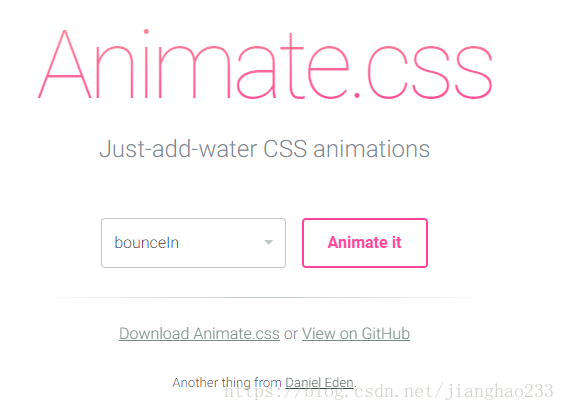
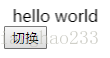
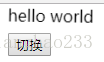
<!DOCTYPE html><html lang="en"><head> < charset="UTF-8"> < >Vue 中使用 animate.css 库</ > < src="./vue.js"></ > < rel="stylesheet" href="../css/animate.css" /> </head><body> <div id ="root"> <transition name="fade" enter-active-class="animated swing" leave-active-class="animated shake"> <div v-if="show">hello world</div> </transition> <button @click="handleClick">切换</button> </div> < > var vm = new Vue({ el:'#root', data: { show:true }, methods:{ handleClick: function(){ this.show = !this.show } } }) </ ></body></html>输出:点击--左右抖动--消失---再点击--出现---上下抖动---正常


继续阅读与本文标签相同的文章
-
innodb锁机制探究(二)---间隙锁(1)
2026-05-26栏目: 教程
-
聊聊MySQL中的事务
2026-05-26栏目: 教程
-
MySQL参数之sql_slave_skip_counter
2026-05-26栏目: 教程
-
MySQL实际应用的两个案例
2026-05-26栏目: 教程
-
Linux命令之sed
2026-05-26栏目: 教程