
实现了分页的滑动效果,做的demo流畅运行
注:貌似支持的样式(控件)有一定的限制,我试过短信的listview页面,暂无法实现滑动效果
java文件:MainActivity.java、Activity1.java、Activity2.java、Activity3.java、Activity4.java
MainActivity.java
package com.example.tabhostmove;import android.app.Activity;import android.app.TabActivity;import android.content.Intent;import android.os.Bundle;import android.util.Log;import android.view.GestureDetector;import android.view.Menu;import android.view.MenuItem;import android.view.MotionEvent;import android.widget.TabHost;import android.widget.TabHost.TabSpec;public class MainActivity extends TabActivity { private TabHost tabHost; @Override protected void onCreate(Bundle savedInstanceState) { super.onCreate(savedInstanceState); setContentView(R.layout.activity_main); init(); } private void init() { // TODO Auto-generated method stub tabHost = getTabHost(); // 页面1 TabSpec spec1 = tabHost.newTabSpec("1"); spec1.setIndicator("1", getResources().getDrawable(R.drawable.ic_launcher)); Intent intent1 = new Intent(this, Activity1.class); spec1.setContent(intent1); // 页面2 TabSpec spec2 = tabHost.newTabSpec("2"); spec2.setIndicator("2", getResources().getDrawable(R.drawable.ic_launcher)); Intent intent2 = new Intent(this, Activity2.class); spec2.setContent(intent2); // 页面3 TabSpec spec3 = tabHost.newTabSpec("3"); spec3.setIndicator("3", getResources().getDrawable(R.drawable.ic_launcher)); Intent intent3 = new Intent(this, Activity3.class); spec3.setContent(intent3); // 页面4 TabSpec spec4 = tabHost.newTabSpec("4"); spec4.setIndicator("4", getResources().getDrawable(R.drawable.ic_launcher)); Intent intent4 = new Intent(this, Activity4.class); spec4.setContent(intent4); tabHost.addTab(spec1); tabHost.addTab(spec2); tabHost.addTab(spec3); tabHost.addTab(spec4); } private GestureDetector detector = new GestureDetector(new GestureDetector.SimpleOnGestureListener() { @Override public boolean onFling(MotionEvent e1, MotionEvent e2, float velocityX, float velocityY) { if ((e2.getRawX() - e1.getRawX()) > 80) { showNext(); return true; } if ((e1.getRawX() - e2.getRawX()) > 80) { showPre(); return true; } return super.onFling(e1, e2, velocityX, velocityY); } }); @Override public boolean onTouchEvent(MotionEvent event) { detector.onTouchEvent(event); return super.onTouchEvent(event); } /** * 当前页面索引 */ int i = 0; /** * 显示下一个页面 */ protected void showNext() { // 三元表达式控制3个页面的循环. //tabHost.setCurrentTab(i = i == 3 ? i = 0 : ++i); //Log.i("kennet", i + ""); //四个页面的下一个循环 switch(i) { case 0: i++; tabHost.setCurrentTab(i); break; case 1: i++; tabHost.setCurrentTab(i); break; case 2: i++; tabHost.setCurrentTab(i); break; case 3: i=0; tabHost.setCurrentTab(i); break; } } /** * 显示前一个页面 */ protected void showPre() { // 三元表达式控制3个页面的循环. //tabHost.setCurrentTab(i = i == 0 ? i = 3 : --i); //四个页面的上一个循环 switch(i) { case 0: i=3; tabHost.setCurrentTab(i); break; case 1: i--; tabHost.setCurrentTab(i); break; case 2: i--; tabHost.setCurrentTab(i); break; case 3: i--; tabHost.setCurrentTab(i); break; } } @Override public boolean onCreateOptionsMenu(Menu menu) { // Inflate the menu; this adds items to the action bar if it is present. getMenuInflater().inflate(R.menu.main, menu); return true; } @Override public boolean onOptionsItemSelected(MenuItem item) { // Handle action bar item clicks here. The action bar will // automatically handle clicks on the Home/Up button, so long // as you specify a parent activity in AndroidManifest. . int id = item.getItemId(); if (id == R.id.action_settings) { return true; } return super.onOptionsItemSelected(item); }}
布局文件:activity_main. 、activit1. 、activit2. 、activit3. 、activit4.
activity_main.
<TabHost ns:android="http://schemas.android.com/apk/res/android" ns:tools="http://schemas.android.com/tools" android:id="@android:id/tabhost" android:layout_width="match_parent" android:layout_height="match_parent" > <LinearLayout android:layout_width="fill_parent" android:layout_height="fill_parent" android:orientation="vertical" > <TabWidget android:id="@android:id/tabs" android:layout_width="fill_parent" android:layout_height="wrap_content" /> < Layout android:id="@android:id/tabcontent" android:layout_width="fill_parent" android:layout_height="wrap_content" android:layout_weight="1" > </ Layout> </LinearLayout></TabHost>
注:activity1、2、3、4是测试的页面,随便建几个即可,别忘了在AndroidManifest. 里注册页面的活动
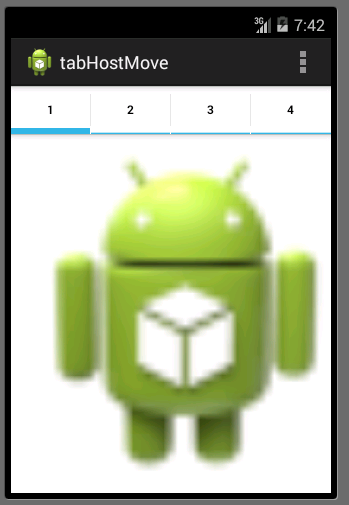
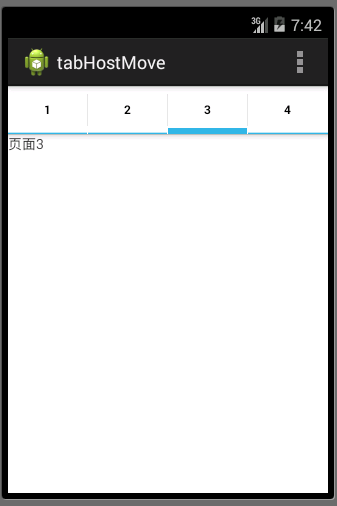
实现效果:

继续阅读与本文标签相同的文章
-
[python skill]Python 中 NaN 和 None 的详细比较
2026-05-26栏目: 教程
-
[python skill]python中tuple 和list 的区别
2026-05-26栏目: 教程
-
[python skill]利用python实现假设性检验方法
2026-05-26栏目: 教程
-
[math skill]Permutation Test 置换检验
2026-05-26栏目: 教程
-
[python skill]利用python计算T分布下的置信区间
2026-05-26栏目: 教程