
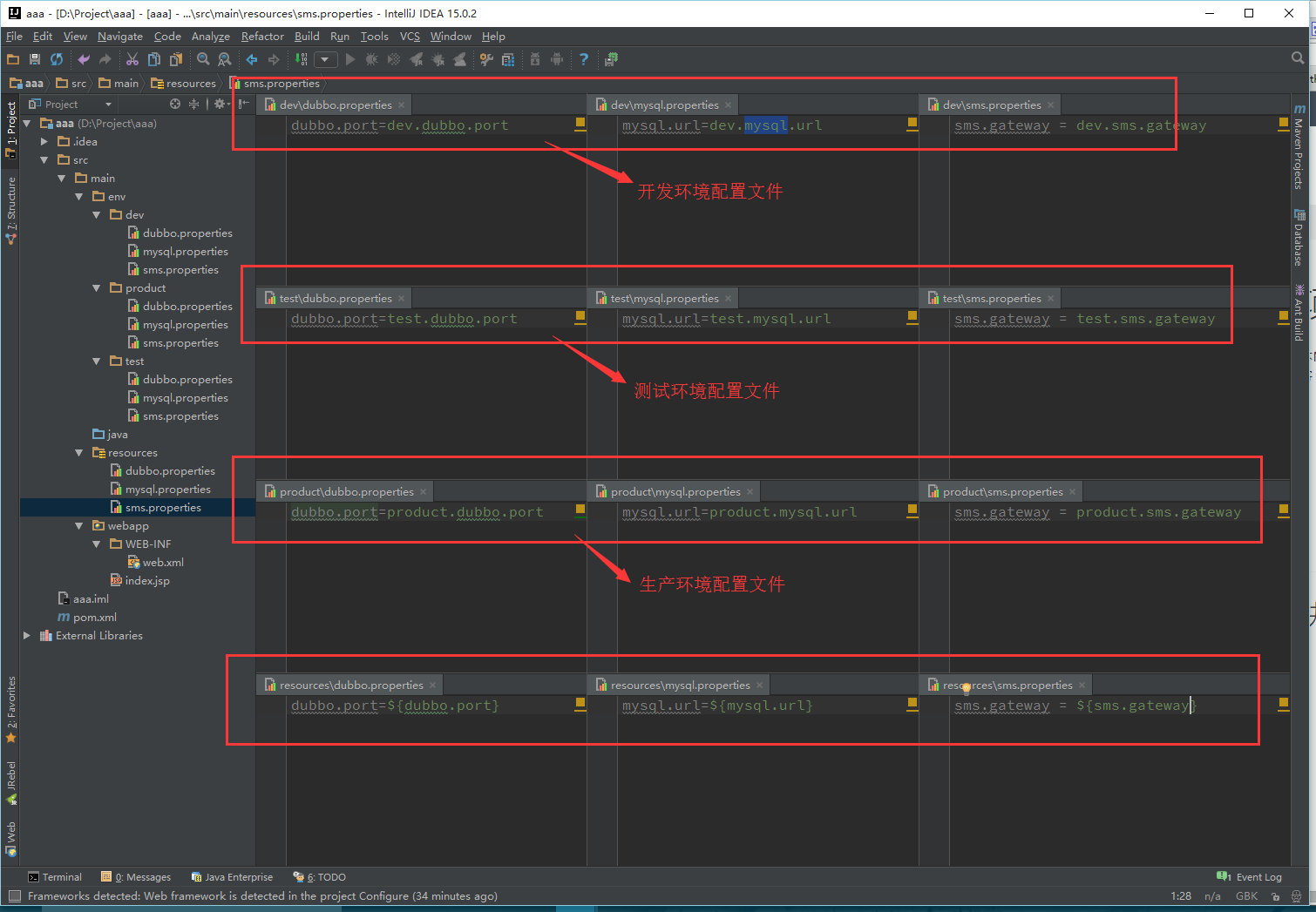
直接上图,一目了然
配置文件
web. 文件配置
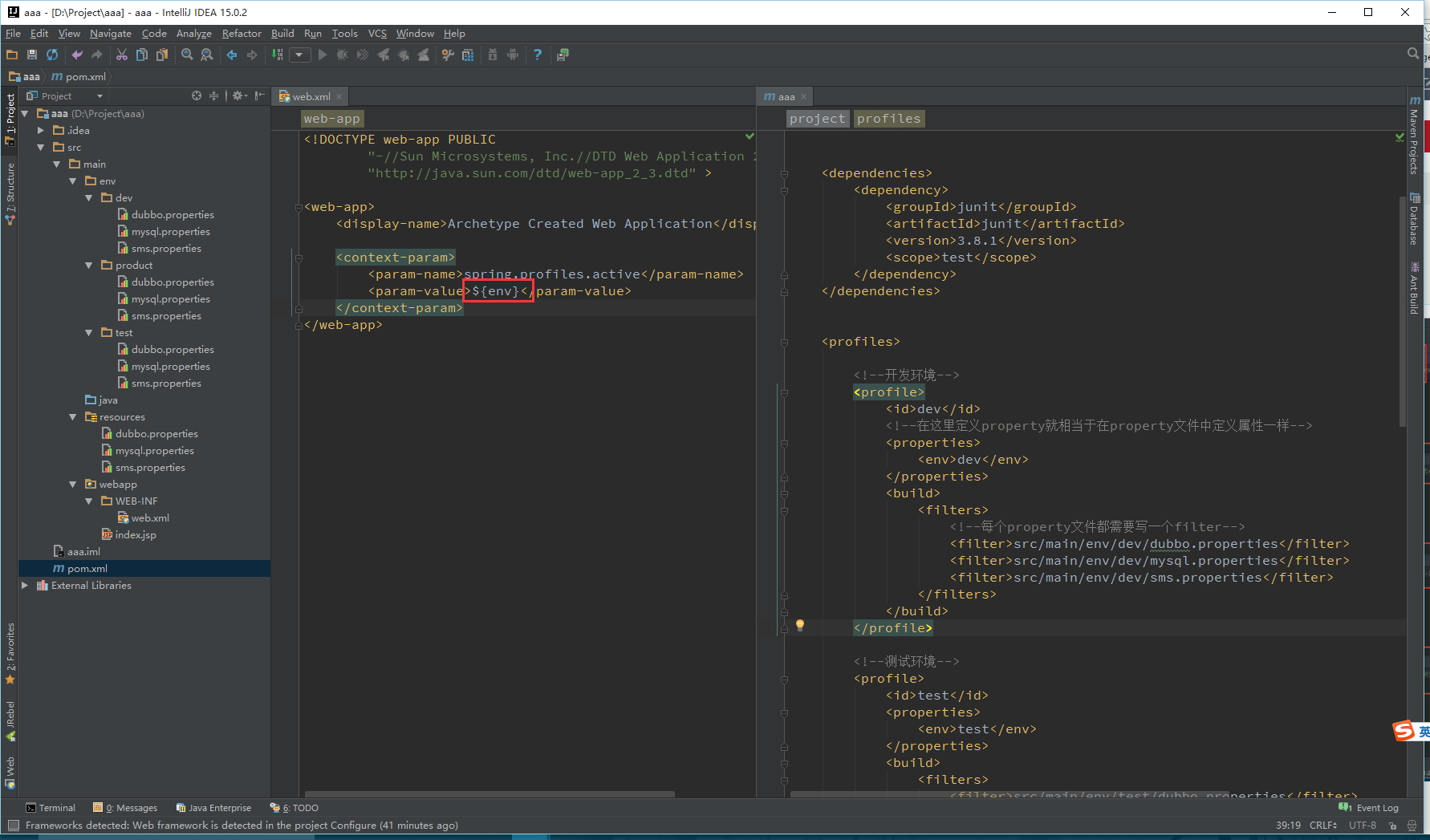
pom. 文件配置
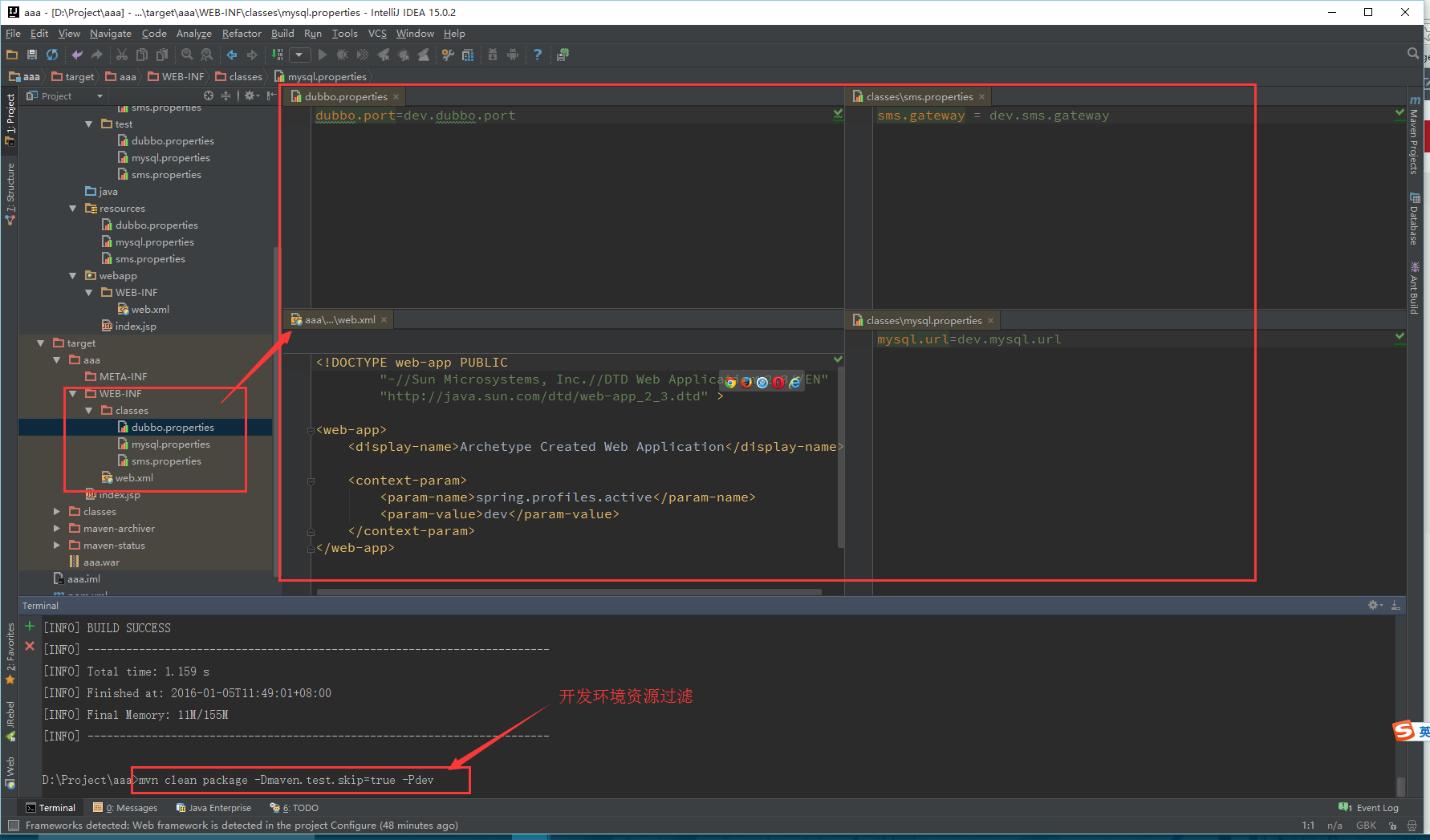
<project ns="http://maven.apache.org/POM/4.0.0" ns:xsi="http://www.w3.org/2001/ Schema-instance" xsi:schemaLocation="http://maven.apache.org/POM/4.0.0 http://maven.apache.org/maven-v4_0_0.xsd"> <modelVersion>4.0.0</modelVersion> <groupId>aaa</groupId> <artifactId>aaa</artifactId> <packaging>war</packaging> <version>1.0-SNAPSHOT</version> <name>aaa Maven Webapp</name> <url>http://maven.apache.org</url> <dependencies> <dependency> <groupId>junit</groupId> <artifactId>junit</artifactId> <version>3.8.1</version> <scope>test</scope> </dependency> </dependencies> <profiles> <!--开发环境--> <profile> <id>dev</id> <!--在这里定义property就相当于在property文件中定义属性一样--> <properties> <env>dev</env> </properties> <build> <filters> <!--每个property文件都需要写一个filter--> <filter>src/main/env/dev/dubbo.properties</filter> <filter>src/main/env/dev/mysql.properties</filter> <filter>src/main/env/dev/sms.properties</filter> </filters> </build> </profile> <!--测试环境--> <profile> <id>test</id> <properties> <env>test</env> </properties> <build> <filters> <filter>src/main/env/test/dubbo.properties</filter> <filter>src/main/env/test/mysql.properties</filter> <filter>src/main/env/test/sms.properties</filter> </filters> </build> </profile> <!--线上环境--> <profile> <id>product</id> <properties> <env>product</env> </properties> <build> <filters> <filter>src/main/env/product/dubbo.properties</filter> <filter>src/main/env/product/mysql.properties</filter> <filter>src/main/env/product/sms.properties</filter> </filters> </build> </profile> </profiles> <!--配置所有profile都公用的信息--> <build> <finalName>aaa</finalName> <!--指定资源目录 配置是否启用资源过滤(就是是否启用占位符替换)--> <resources> <resource> <directory>src/main/resources</directory> <filtering>true</filtering> </resource> </resources> <!--通过这个插件可以对web. 文件进行资源过滤--> <plugins> <plugin> <groupId>org.apache.maven.plugins</groupId> <artifactId>maven-war-plugin</artifactId> <configuration> <webResources> <resource> <filtering>true</filtering> <directory>src/main/webapp</directory> <includes> <include>**/web. </include> </includes> </resource> </webResources> </configuration> </plugin> </plugins> </build></project>执行效果(以开发环境示例)
继续阅读与本文标签相同的文章
上一篇 :
GitLab安装
下一篇 :
Nginx正向代理与反向代理
-
Class文件二进制分析
2026-06-02栏目: 教程
-
海量日志数据,找出出现次数最多的IP地址。
2026-06-02栏目: 教程
-
TCP报文段首部格式详解
2026-06-02栏目: 教程
-
深入理解TCP/IP协议栈之TCP协议
2026-06-02栏目: 教程
-
AIO实现TimeServer
2026-06-02栏目: 教程