1. 概述
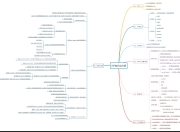
Druid的数据摄入主要包括两大类:
1. 实时输入摄入:包括Pull,Push两种
- Pull:需要启动一个RealtimeNode节点,通过不同的Firehose摄取不同种类的数据源。
- Push:需要启动Tranquility或是Kafka索引服务。通过HTTP调用的方式进行数据摄入
2. 离线数据摄入:可以通过Realtime节点摄入,也可以通过索引节点启动任务摄入
本文演示环节主要基于上一章部署的集群来进行
2. 实时数据摄入
2.1 Pull
由于Realtime Node 没有提供高可用,可伸缩等特性,对于比较重要的场景推荐使用 Tranquility Server or 或是Tranquility Kafka索引服务
2.2 Push
Indexing service在前文已经介绍过了,Tranquility 是一个Scala库,它通过索引服务实现数据实时的摄入。它之所以存在,是因为Indexing service API属于低层面的。Tranquility是对索引服务进行抽象封装, 对使用者屏蔽了 创建任务,处理分区、复制、服务发现和shema rollover等环节。
通过Tranquility 的数据摄入,可以分为两种方式
Tranquility Server:发送方可以通过Tranquility Server 提供的HTTP接口,向Druid发送数据。
Tranquility Kafka:发送发可以先将数据发送到Kafka,Tranquility Kafka会根据配置从Kafka获取数据,并写到Druid中。
2.2.1 Tranquility Server配置
配置流程如下
1. 开启Tranquility Server,在数据节点上编辑conf/supervise/data-with-query.conf 文件,将Tranquility Server注释放开
# Uncomment to use Tranquility Server

!p95 tranquility-server bin/tranquility server -configFile conf/tranquility/server.json
2.拷贝quick里面的server.json
root@native-lufanfeng-4-5-24-140:~/imply-2.3.8# cp conf-quickstart/tranquility/server.json conf/tranquility/javascript:void(0)
3.启动服务
root@native-lufanfeng-4-5-24-140:~/imply-2.3.8# bin/supervise -c conf/supervise/data-with-query.conf
4.启动信息如下:
[Fri Dec 8 15:41:39 2017] Running command[tranquility-server], logging to[/root/imply-2.3.8/var/sv/tranquility-server.log]: bin/tranquility server -configFile conf/tranquility/server.json
5.发送数据
bin/generate-example-metrics | curl -XPOST -H\'Content-Type: application/json\' --data-binary @- http://localhost:8200/v1/post/tutorial-tranquility-server
如果成功会打印出,表名产生了25条数据到druid里
{\"result\":{\"received\":25,\"sent\":25}}
6.查询数据
root@native-lufanfeng-4-5-24-140:~/imply-2.3.8/bin#./plyql -h localhost -p 8082 -q \"SELECT server, SUM(\"count\") AS \"events\", COUNT(*) AS \"rows\" FROM \"tutorial-tranquility-server\" GROUP BY server;\"
┌──────────────────┬────────┬──────┐
│ server │ events │ rows │
├──────────────────┼────────┼──────┤
│ www1.example.com │ 1 │ 1 │
│ www2.example.com │ 5 │ 4 │
│ www3.example.com │ 7 │ 2 │
│ www4.example.com │ 5 │ 2 │
│ www5.example.com │ 7 │ 7 │
└──────────────────┴────────┴──────┘
重启Tranquility Server:bin/service –restart tranquility-server
2.2.2 Tranquility Kafka配置
配置流程如下
1. 开启Tranquility Kafka,在数据节点上编辑conf/supervise/data-with-query.conf 文件,将Tranquility Kafka注释放开
# Uncomment to use Tranquility Server

!p95 tranquility-server bin/tranquility server -configFile conf/tranquility/server.json
2.拷贝quick里面的kafka.json
root@native-lufanfeng-4-5-24-140:~/imply-2.3.8# cp conf-quickstart/tranquility/kafka.json conf/tranquility/
详细配置可参考:http://druid.io/docs/0.10.1/tutorials/tutorial-kafka.html
3.在kafa集群中创建topic
root@native-lufanfeng-3-5-24-139:/opt/PaaS/Talas/lib/Kafka/bin#./kafka-topics.sh --create --zookeeper native-lufanfeng-2-5-24-138:2181,native-lufanfeng-3-5-24-139:2181,native-lufanfeng-4-5-24-140:2181 --replication-factor 1 --partitions 1 --topic tutorial-tranquility-kafka
4.启动服务
root@native-lufanfeng-4-5-24-140:~/imply-2.3.8# bin/supervise -c conf/supervise/data-with-query.conf
启动信息如下:
[Tue Dec 12 10:43:28 2017] Running command[tranquility-kafka], logging to[/root/imply-2.3.8/var/sv/tranquility-kafka.log]: bin/tranquility kafka -configFile conf/tranquility/kafka.json
使用kafka自带的工具发送数据
root@native-lufanfeng-3-5-24-139:/opt/PaaS/Talas/lib/Kafka/bin# ./kafka-console-producer.sh --broker-list native-lufanfeng-2-5-24-138:9092,native-lufanfeng-3-5-24-139:9092,native-lufanfeng-4-5-24-140:9092 --topic tutorial-tranquility-kafka

{\"unit\": \"milliseconds\", \"http_method\": \"GET\", \"value\": 107, \"timestamp\": \"2017-12-12T05:55:59Z\", \"http_code\": \"200\", \"page\": \"/list\", \"metricType\": \"request/latency\", \"server\": \"www1.example.com\"}

{\"unit\": \"milliseconds\", \"http_method\": \"GET\", \"value\": 19, \"timestamp\": \"2017-12-12T05:55:59Z\", \"http_code\": \"200\", \"page\": \"/list\", \"metricType\": \"request/latency\", \"server\": \"www1.example.com\"}

{\"unit\": \"milliseconds\", \"http_method\": \"GET\", \"value\": 135, \"timestamp\": \"2017-12-12T05:55:59Z\", \"http_code\": \"200\", \"page\": \"/list\", \"metricType\": \"request/latency\", \"server\": \"www5.example.com\"}

{\"unit\": \"milliseconds\", \"http_method\": \"GET\", \"value\": 103, \"timestamp\": \"2017-12-12T05:55:59Z\", \"http_code\": \"200\", \"page\": \"/list\", \"metricType\": \"request/latency\", \"server\": \"www4.example.com\"}

{\"unit\": \"milliseconds\", \"http_method\": \"GET\", \"value\": 93, \"timestamp\": \"2017-12-12T05:55:59Z\", \"http_code\": \"200\", \"page\": \"/\", \"metricType\": \"request/latency\", \"server\": \"www3.example.com\"}

{\"unit\": \"milliseconds\", \"http_method\": \"GET\", \"value\": 89, \"timestamp\": \"2017-12-12T05:55:59Z\", \"http_code\": \"200\", \"page\": \"/list\", \"metricType\": \"request/latency\", \"server\": \"www2.example.com\"}

{\"unit\": \"milliseconds\", \"http_method\": \"GET\", \"value\": 7, \"timestamp\": \"2017-12-12T05:55:59Z\", \"http_code\": \"200\", \"page\": \"/\", \"metricType\": \"request/latency\", \"server\": \"www5.example.com\"}

{\"unit\": \"milliseconds\", \"http_method\": \"GET\", \"value\": 65, \"timestamp\": \"2017-12-12T05:55:59Z\", \"http_code\": \"200\", \"page\": \"/\", \"metricType\": \"request/latency\", \"server\": \"www3.example.com\"}
此时观察kafka-server.log的日志会发现类似于如下输出
2017-12-12 06:21:37,241 [KafkaConsumer-CommitThread] INFO c.m.tranquility.kafka.KafkaConsumer - Flushed {tutorial-tranquility-kafka={receivedCount=0, sentCount=8,droppedCount=8, unparseableCount=0}} pending messages in 0ms and committed offsets in 0ms.
在datasource中,windowPeriod设置成了P10M,timestamp不在当前时间10M内的数据都会被过滤,由于上面的数据的timestamp和执行时间相差了大概26分钟左右,所以都会被drop调,为了达到演示效果,可以对bin/generate-example-metrics-main 的脚本进行调整。代码如下:
# Copyright 2017 Imply Data, Inc.

#

# Licensed under the Apache License, Version 2.0 (the \"License\");

# you may not use this file except in compliance with the License.

# You may obtain a copy of the License at

#

#     http://www.apache.org/licenses/LICENSE-2.0

#

# Unless required by applicable law or agreed to in writing, software

# distributed under the License is distributed on an \"AS IS\" BASIS,

# WITHOUT WARRANTIES OR CONDITIONS OF ANY KIND, either express or implied.

# See the License for the specific language governing permissions and

# limitations under the License.


import argparse

import json

import random

import sys

from datetime import datetime

from kafka import KafkaProducer

from kafka import KafkaClient


hosts=\"native-lufanfeng-2-5-24-138:9092,native-lufanfeng-3-5-24-139:9092,native-lufanfeng-4-5-24-140:9092\"

# hosts=\"10.48.253.104:9092\"

topic=\'tutorial-tranquility-kafka\'


class KafkaSender():


    def __init__(self):

        self.client=KafkaClient(hosts)

        self.producer=KafkaProducer(bootstrap_servers=hosts)

        self.client.ensure_topic_exists(topic)

    def send_messages(self,msg):

        self.producer.send(topic,msg)

        self.producer.r


def main():

  parser = argparse.ArgumentParser(description=\'Generate example page request latency metrics.\')

  parser.add_argument(\'--count\', \'-c\', type=int, default=25, help=\'Number of events to generate (negative for unlimited)\')

  args = parser.parse_args()


  count = 0

  sender = KafkaSender()

  while args.count < 0 or count < args.count:

    timestamp = datetime.utcnow().strftime(\"%Y-%m-%dT%H:%M:%SZ\")


    r = random.randint(1, 4)

    if r == 1 or r == 2:

      page = \'/\'

    elif r == 3:

      page = \'/list\'

    else:

      page = \'/get/\' + str(random.randint(1, 99))


    server = \'www\' + str(random.randint(1, 5)) + \'.example.com\'


    latency = max(1, random.gauss(80, 40))


    record = json.dumps({

      \'timestamp\': timestamp,

      \'metricType\': \'request/latency\',

      \'value\': int(latency),


      # Additional dimensions

      \'page\': page,

      \'server\': server,

      \'http_method\': \'GET\',

      \'http_code\': \'200\',

      \'unit\': \'milliseconds\'

    })

    sender.send_messages(record)

    print \'Send:%s Successful!\' % record

    count += 1


try:

  main()

except KeyboardInterrupt:

  sys.exit(1)
3. 离线数据摄入
3.1 静态文件摄入
使用自带的摄入机制,可以在数据节点摄入本地文件,方法如下:
bin/post-index-task --file quickstart/wikiticker-index.json
wikiticker-index.json 文件中既包括datasource的定义,也包括数据文件位置的配置
3.2 HDFS文件摄入
配置过程可参考:http://druid.io/docs/0.10.1/ingestion/batch-ingestion.html
4. 配置参考
通用配置:https://github.com/druid-io/tranquility/blob/master/docs/configuration.md
数据摄入通用配置:http://druid.io/docs/latest/ingestion/index.html
Tranquility Kafka:https://github.com/druid-io/tranquility/blob/master/docs/kafka.md
5. 其他注意事项
5.1 数据分片
Druid的分片基本都是通过配置tunningConfig来配置的,实时,批量配置的方式会存在一定的差异
实时加载包括下面两种类型
- Linear分片:
- 添加新节点时,原节点的配置不需要调整
- 当存在分片时数据也能被查询
- Numbered分片
- 所有分片存在时,才能查询
- 需要制定分片总数
本地文件加载包括下面两种类型
- 按照Partition大小分片
- 设置总的分片数
Hadoop文件加载包括下面两种类型
- 哈希分片
- 范围分片
5.2 高基数维度优化
对于需要统计维度基数的需求,如果某个维度的基数很大,可能会存在下列问题。维度基数统计主要包括下面两种类型
- Cardinality: 基于HyperLogLog算法,只在查询阶段做了优化,不能减少存储容量,基数大时,效率可能会有问题
- HyperUnique: 在摄入阶段进行优化,对于不需要对高基数维度进行过滤,分组的业务场景可以使用该类型
版权声明
本文仅代表作者观点,不代表百度立场。
本文系作者授权百度百家发表,未经许可,不得转载。