
组件间传值(改进 TodoList)
改进 TodoList ,点击那个输出 ,那个输出就会消失
步骤一
<!DOCTYPE html><html lang="en"><head> < charset="UTF-8"> < >TodoList</ > < src = "./vue.js"></ ></head><body> <div id ='app'> <input type="text" v-model="inputValue"/> <button v-on:click="handleBtnClick">提交</button> <todo-item v-bind:content="item" v-for="item in list"> </todo-item> </div> < > var TodoItem = { props:['content'], template:"<li @click='handleItemClick'>{{content}}</li>", methods:{ handleItemClick:function(){ alert("click") } } } var app = new Vue({ el: '#app', components:{ TodoItem:TodoItem }, data:{ list: [], inputValue:'' }, methods:{ handleBtnClick:function(){ this.list.push(this.inputValue) this.inputValue = '' } } }) </ ></body></html> template:"<li @click='handleItemClick'>{{content}}</li>", methods:{ handleItemClick:function(){ alert("click") } } } var app = new Vue({ el: '#app', components:{ TodoItem:TodoItem }, data:{ list: [], inputValue:'' }, methods:{ handleBtnClick:function(){ this.list.push(this.inputValue) this.inputValue = '' } } }) </ ></body></html>运行:

当点击输出值时,弹出对话框
步骤二
<!DOCTYPE html><html lang="en"><head> < charset="UTF-8"> < >TodoList</ > < src = "./vue.js"></ ></head><body> <div id ='app'> <input type="text" v-model="inputValue"/> <button v-on:click="handleBtnClick">提交</button> <todo-item v-bind:content="item" v-for="item in list" @delete="handleItemDelete"> </todo-item> </div> < > var TodoItem = { props:['content'], template:"<li @click='handleItemClick'>{{content}}</li>", methods:{ handleItemClick:function(){ this.$emit("delete",this.index); } } } var app = new Vue({ el: '#app', components:{ TodoItem:TodoItem }, data:{ list: [], inputValue:'' }, methods:{ handleBtnClick:function(){ this.list.push(this.inputValue) this.inputValue = '' }, handleItemDelete:function(){ this.list = [] } } }) </ > </body></html> <todo-item v-bind:content="item" v-for="item in list" @delete="handleItemDelete"> </todo-item> </div> < > var TodoItem = { props:['content'], template:"<li @click='handleItemClick'>{{content}}</li>", methods:{ handleItemClick:function(){ this.$emit("delete",this.index); } } } var app = new Vue({ el: '#app', components:{ TodoItem:TodoItem }, data:{ list: [], inputValue:'' }, methods:{ handleBtnClick:function(){ this.list.push(this.inputValue) this.inputValue = '' }, handleItemDelete:function(){ this.list = [] } } }) </ > </body></html>当点击子组件的时候,子组件会向外触发一个“delete”事件,在父组件里创建子组件的同时可以监听“delete”事件,用(v-on)简写 “@”监听“delete”事件,即 @delete="handleItemDelete" ;在父组件的模板中,创建父组件的同时也监听子组件的“delete”事件,一旦“delete”事件被触发时,就会执行父组件当中的 “handleItemDelete”方法,在父组件中定义“handleItemDelete”的方法,即 handleItemDelete:function(){ this.list = []}
输出:
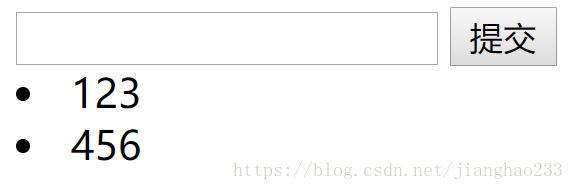
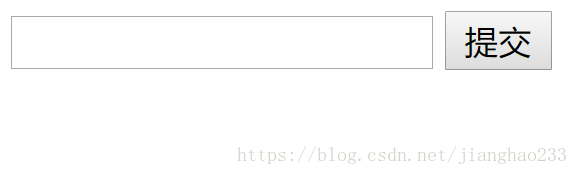
当点击时,两个输入元素都被删除掉;当监听到点击事件,就会把 list 清空,导致数据发生变化,循环发生变化,则 todo-item 不存在了(但需要点击那个,那个会消失而不是全部消失)
步骤三
<!DOCTYPE html><html lang="en"><head> < charset="UTF-8"> < >TodoList</ > < src = "./vue.js"></ ></head><body> <div id ='app'> <input type="text" v-model="inputValue"/> <button v-on:click="handleBtnClick">提交</button> <todo-item v-bind:content="item" v-bind:index="index" v-for="item in list" @delete="handleItemDelete"> </todo-item> </div> < > var TodoItem = { props:['content','index'], template:"<li @click='handleItemClick'>{{content}}</li>", methods:{ handleItemClick:function(){ this.$emit("delete",this.index); } } } var app = new Vue({ el: '#app', components:{ TodoItem:TodoItem }, data:{ list: [], inputValue:'' }, methods:{ handleBtnClick:function(){ this.list.push(this.inputValue) this.inputValue = '' }, handleItemDelete:function(index){ this.list .splice(index,1) } } }) </ > </body></html>v-bind:index="index" v-for="item in list" @delete="handleItemDelete"> </todo-item> </div> < > var TodoItem = { props:['content','index'], template:"<li @click='handleItemClick'>{{content}}</li>", methods:{ handleItemClick:function(){ this.$emit("delete",this.index); } } } var app = new Vue({ el: '#app', components:{ TodoItem:TodoItem }, data:{ list: [], inputValue:'' }, methods:{ handleBtnClick:function(){ this.list.push(this.inputValue) this.inputValue = '' }, handleItemDelete:function(index){ this.list .splice(index,1) } } }) </ > </body></html>当向父组件传值时,还会多传一个 Index , 即 v-bind:index="index" ,指 todo-item 的下标(第几个 todo-item),还需要接收这个下标,即 props:['content','index'], 会被子组件接收;子组件一旦被点击时,不仅触发 “delete”事件,还把 this.index 作为参数带给父组件,即 this.$emit("delete",this.index);父组件监听 "delete"事件,会执行 "handleItemDelete"方法,会拿到子组件传来的 this.index ;接着从下标开始删除一项即可把该项数据删除,即 this.list .splice(index,1),实现功能!(v-bind 可简写成 “ :” v-bind:index="index" 相当于 :index="index" )
输出:
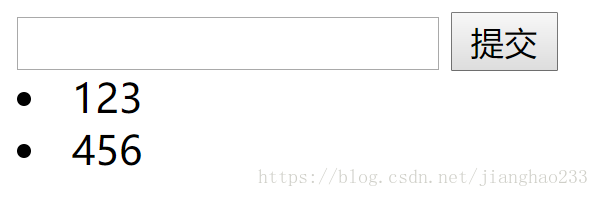
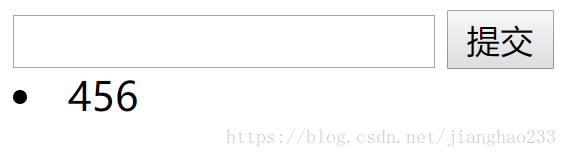
点击那个输出,那个输出就会消失
继续阅读与本文标签相同的文章
-
Java 学习(22)---(类的加载与反射)
2026-05-26栏目: 教程
-
初识 JSP---(JSTL)
2026-05-26栏目: 教程
-
初识 JSP---(EL表达式)
2026-05-26栏目: 教程
-
初识 JSP---(注释/小脚本/声明/指令/动作/内置对象)
2026-05-26栏目: 教程
-
初识 JSP---(Cookie / 重写URL / 防止表单重复提交)
2026-05-26栏目: 教程