
Vue 实例
一、创建实例
<!DOCTYPE html><html lang="en"><head> < charset="UTF-8"> < >Vue 实例</ > < src = "./vue.js"></ ></head><body> <div id ='root'> {{message}} </div> < > var vm = new Vue({ el:'#root', data:{ message:'hello world' } }) </ ></body></html>var vm = new Vue({ el:'#root', data:{ message:'hello world' } }) </ ></body></html>输出:
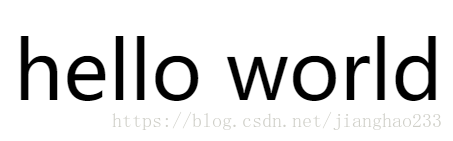
因为 var vm = new Vue 中的 Vue 接管了其中的 DOM 操作,对其{ }中的内容进行分析,发现使用了 message 语法,会到 data 里面寻找 message 的数据,用其中的数据替换掉里面的差值表达式。
二、绑定事件
<!DOCTYPE html><html lang="en"><head> < charset="UTF-8"> < >Vue 实例</ > < src = "./vue.js"></ ></head><body> <div id ='root'> <div v-on:click="handleClick"> {{message}} </div> </div> < > var vm = new Vue({ el:'#root', data:{ message:'hello world' }, methods:{ handleClick:function(){ alert("hello") } } }) </ > </body></html> <div v-on:click="handleClick"> {{message}} </div> </div> < > var vm = new Vue({ el:'#root', data:{ message:'hello world' }, methods:{ handleClick:function(){ alert("hello") } } }) </ > </body></html>输出:

var vm = new Vue 中的 Vue 接管了其中的 DOM 操作,可以分析出其中绑定了事件,当 click 被点击的时候,会自动执行实例中的 methods 里面对应的 handleClick 的方法(必须定义在 methods 中);当点击 “hello world”时,会弹出对话框。
v-on:click="handleClick" 可以简化为 @click="handleClick"
三、使用组件
<!DOCTYPE html><html lang="en"><head> < charset="UTF-8"> < >Vue 实例</ > < src = "./vue.js"></ ></head><body> <div id ='root'> <div v-on:click="handleClick"> {{message}} </div> <item></item> </div> < > Vue.component('item',{ template:'<div>hello item </div>' }) var vm = new Vue({ el:'#root', data:{ message:'hello world' }, methods:{ handleClick:function(){ alert("hello") } } }) </ > </body></html> <item></item> </div> < > Vue.component('item',{ template:'<div>hello item </div>' }) var vm = new Vue({ el:'#root', data:{ message:'hello world' }, methods:{ handleClick:function(){ alert("hello") } } }) </ > </body></html>输出:
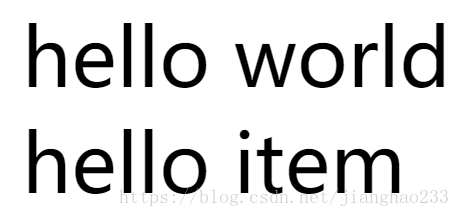
当程序加载时,有一个入口点,这个入口点都是从 new 实例开始执行的,var vm = new Vue 这个 Vue 实例是一个根实例 ,new 中的每个组件也是 Vue 实例,在根实例中使用这个组件,直接通过标签 <item></item> 使用即可;
当创建一个组件时,这个组件 Vue 的底层,也会把它编译成一个 Vue 的实例,(一个 Vue 项目由很多 Vue 组件(实例)组成,每一个组件就是一个 Vue 实例,且每个实例上有很多的实例、属性和方法 )
继续阅读与本文标签相同的文章
上一篇 :
初识 Vue(05)---(组件间传值)
-
初识 JSP---(Filter)
2026-05-26栏目: 教程
-
Java 学习(22)---(类的加载与反射)
2026-05-26栏目: 教程
-
初识 JSP---(JSTL)
2026-05-26栏目: 教程
-
初识 JSP---(EL表达式)
2026-05-26栏目: 教程
-
初识 JSP---(注释/小脚本/声明/指令/动作/内置对象)
2026-05-26栏目: 教程