
Vue 中的列表过渡
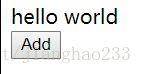
功能:有一个列表项,循环显示数组中的数
<!DOCTYPE html><html lang="en"><head> < charset="UTF-8"> < >Vue 中的列表过渡</ > < src = "./vue.js"></ ></head><body> <div id ='root'> <div v-for="item of list" :key="item.id"> {{item. }} </div> <button @click="handleBtnClick">Add</button> </div> < > var count = 0; //计数器 var vm = new Vue({ el:'#root', data:{ list:[] }, methods:{ handleBtnClick:function(){ this.list.push({ id: count++, :'hello world' }) } } }) </ > </body></html>输出:点击---添加hello world


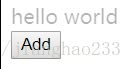
功能:向每次添加数的过程中添加动画效果
<!DOCTYPE html><html lang="en"><head> < charset="UTF-8"> < >Vue 中的列表过渡</ > < src = "./vue.js"></ > <style> .v-enter,.v-leave-to{ opacity:0; } .v-enter-active,.v-leave-active{ transition: opacity 1s; } </style></head><body> <div id ='root'> <transition-group> <div v-for="item of list" :key="item.id"> {{item. }} </div> </transition-group> <button @click="handleBtnClick">Add</button> </div> < > var count = 0; //计数器 var vm = new Vue({ el:'#root', data:{ list:[] }, methods:{ handleBtnClick:function(){ this.list.push({ id: count++, :'hello world' }) } } }) </ > </body></html>输出:点击---添加hello world(1秒完全出现)



<transition-group>标签
原理:<div>{{item. }}</div> 经过循环后,会变为数个 <div> hello world </div>,挡在列表的外层加入<transition-group>标签,相当于给每个<div> hello world </div>加上<transition>标签,即<transition><div> hello world </div></transition>,就将列表的过渡转换成了单个元素的过渡,Vue 会动态地在元素显示和隐藏时添加 class,在前面设置了class所对应的内容
<style> .v-enter,.v-leave-to{ opacity:0; } .v-enter-active,.v-leave-active{ transition: opacity 1s; } </style>则每个 div 就有了自己的动画
继续阅读与本文标签相同的文章
-
delegate委托的例子,实现对Form中控件的更新
2026-05-26栏目: 教程
-
C#中用WMI实现对驱动的查询
2026-05-26栏目: 教程
-
WMI_COM_API
2026-05-26栏目: 教程
-
C#窗体实现打开关闭VM虚拟机
2026-05-26栏目: 教程
-
C#控制台打开VM虚拟机
2026-05-26栏目: 教程