
Vue 中的动画封装
功能:点击按钮,hello world 出现,再点击隐藏
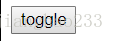
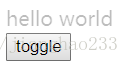
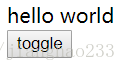
<!DOCTYPE html><html lang="en"><head> < charset="UTF-8"> < >Vue 中的动画封装</ > < src = "./vue.js"></ > <style> .v-enter,.v-leave-to{ opacity:0; } .v-enter-active,.v-leave-active{ transition: opacity 1s; } </style></head><body> <div id ='root'> <transition> <div v-show="show" > hello world </div> </transition> <button @click="handleBtnClick">toggle</button> </div> < > var vm = new Vue({ el:"#root", data:{ show:false }, methods:{ handleBtnClick:function(){ this.show = !this.show } } }) </ > </body></html>输出:点击--出现--隐藏
封装这个动画功能
<!DOCTYPE html><html lang="en"><head> < charset="UTF-8"> < >Vue 中的动画封装</ > < src = "./vue.js"></ > <style> .v-enter,.v-leave-to{ opacity:0; } .v-enter-active,.v-leave-active{ transition: opacity 1s; } </style></head><body> <div id ='root'> <fade :show="show"> //等于父组件的变量 <div> hello world </div> </fade> <button @click="handleBtnClick">toggle</button> </div> < > Vue.component('fade',{ props:['show'], template:` <transition> <slot v-if="show"> </slot> //判断外部传来的DOM是否要被显示 </transition> ` }) var vm = new Vue({ el:"#root", data:{ show:false }, methods:{ handleBtnClick:function(){ this.show = !this.show } } }) </ > </body></html>输出:点击--出现--隐藏
封装的好处:不需再设置动画样式,直接输入内容就好
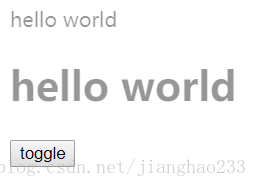
<body> <div id ='root'> <fade :show="show"> <div> hello world </div> </fade> <fade :show="show"> <h1> hello world </h1> </fade> <button @click="handleBtnClick">toggle</button> </div>输出:
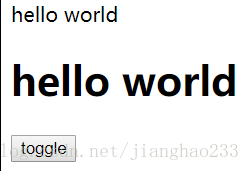
可以将 样式 也封装进去,只能使用 JS 动画实现(推荐)
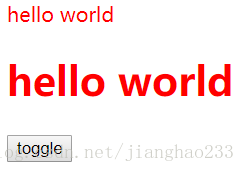
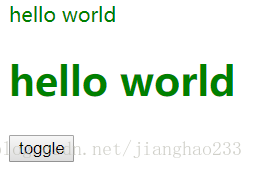
<!DOCTYPE html><html lang="en"><head> < charset="UTF-8"> < >Vue 中的动画封装</ > < src = "./vue.js"></ > <!-- <style> .v-enter,.v-leave-to{ opacity:0; } .v-enter-active,.v-leave-active{ transition: opacity 1s; } </style> --></head><body> <div id ='root'> <fade :show="show"> <div> hello world </div> </fade> <fade :show="show"> <h1> hello world </h1> </fade> <button @click="handleBtnClick">toggle</button> </div> < > Vue.component('fade',{ props:['show'], template:` <transition @before-enter="handleBeforeEnter" @enter="handleEnter" > <slot v-if="show"> </slot> </transition> ` , methods:{ handleBeforeEnter:function(el){ el.style.color = 'red' }, handleEnter:function(el,done){ setTimeout(() =>{ el.style.color = 'green' done() },2000) } } }) var vm = new Vue({ el:"#root", data:{ show:false }, methods:{ handleBtnClick:function(){ this.show = !this.show } } }) </ > </body></html>输出:点击---显示---2秒后变绿色(将样式都封装到 fade 组件里面,外部只需调用 fade 组件即可)

继续阅读与本文标签相同的文章
下一篇 :
SQL--(MyBatis 实战)
-
Android 设置 横屏 竖屏
2026-05-26栏目: 教程
-
uses-permission权限列表
2026-05-26栏目: 教程
-
delegate委托的例子,实现对Form中控件的更新
2026-05-26栏目: 教程
-
C#中用WMI实现对驱动的查询
2026-05-26栏目: 教程
-
WMI_COM_API
2026-05-26栏目: 教程