一、SpringData入门
在上次学SpringBoot的时候,那时候的教程就已经涉及到了一点SpringData JPA的知识了。当时还是第一次见,觉得也没什么大不了,就是封装了Hibernate的API而已。
然后在慕课网上又看到了SpringData的教程了。于是就进去学习了一番。
教程地址:https://www.imooc.com/learn/821
源码下载地址:https://img.mukewang.com/down/58e60b910001594b00000000.zip
在教程中是以原始JDBC和Spring JDBC Template来进行引入SpringData的。
由于原始的JDBC和Spring JDBC Template需要书写的代码量还是比较多的,于是我们就有了SpringData这么一个框架了。
1.1SpringDataJPA入门
SpringData JPA只是SpringData中的一个子模块
JPA是一套标准接口,而Hibernate是JPA的实现
SpringData JPA 底层默认实现是使用Hibernate
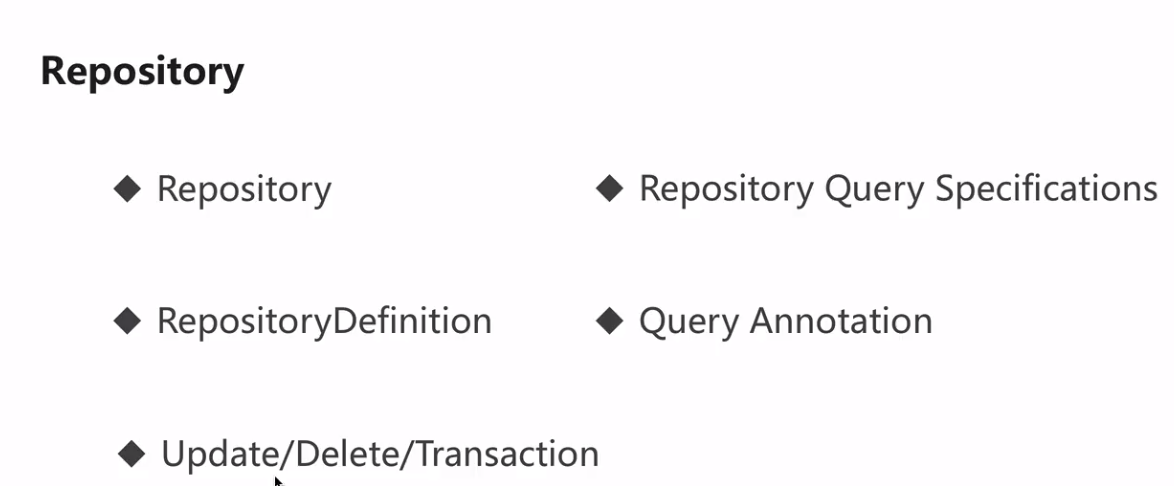
SpringDataJPA 的首个接口就是Repository,它是一个标记接口。只要我们的接口实现这个接口,那么我们就相当于在使用SpringDataJPA了。
只要我们实现了这个接口,我们就可以使用"按照方法命名规则"来进行查询。我第一次见到他的时候觉得他贼神奇。
1.2项目配置
- 在pom.xml中添加相关依赖
- 在yml或者properties文件种配置对应的属性
- 创建实体和Repository测试
参考资源:
- http://blog.csdn.net/pdw2009/article/details/51115044
- http://blog.csdn.net/w_x_z_/article/details/53174308
例子:
比如:定义下面这么一个方法,就可以在外界使用了。
Employee findByName(String name);也就是说,上面的方法会被解析成SQL语句:select * from Employee where name = ?
是不是觉得很方便!!!!
如果是简单的操作的话,直接定义这么一个方法,就能够使用了。确确实实很好。
简直比Mytais不知道好到哪里去了。Mybatis还要去写映射文件,专门写一个sql语句。
同时,创建了实体就能够自动帮我们创建数据库表了,修改了实体字段也能够将数据表一起修改。顿时就觉得很好用了。
/** * 雇员: 先开发实体类===>自动生成数据表 */@Entitypublic class Employee { private Integer id; private String name; private Integer age; @GeneratedValue @Id public Integer getId() { return id; } public void setId(Integer id) { this.id = id; } @Column(length = 20) public String getName() { return name; } public void setName(String name) { this.name = name; } public Integer getAge() { return age; } public void setAge(Integer age) { this.age = age; }}当然了,上面根据方法名来使用是有弊端的:
- 1)方法名会比较长: 约定大于配置
- 2)对于一些复杂的查询,是很难实现
比如:
// where name like ?% and age <? public List<Employee> findByNameStartingWithAndAgeLessThan(String name, Integer age); // where name like %? and age <? public List<Employee> findByNameEndingWithAndAgeLessThan(String name, Integer age); // where name in (?,?....) or age <? public List<Employee> findByNameInOrAgeLessThan(List<String> names, Integer age); // where name in (?,?....) and age <? public List<Employee> findByNameInAndAgeLessThan(List<String> names, Integer age);因此,对于这种情况下还是要写SQL语句简单得多。
@Query("select o from Employee o where id=(select max(id) from Employee t1)") public Employee getEmployeeByMaxId(); @Query("select o from Employee o where o.name=?1 and o.age=?2") public List<Employee> queryParams1(String name, Integer age); @Query("select o from Employee o where o.name=:name and o.age=:age") public List<Employee> queryParams2(@Param("name")String name, @Param("age")Integer age); @Query("select o from Employee o where o.name like %?1%") public List<Employee> queryLike1(String name); @Query("select o from Employee o where o.name like %:name%") public List<Employee> queryLike2(@Param("name")String name); @Query(nativeQuery = true, value = "select count(1) from employee") public long getCount();学过Hibernate的都知道上面的不是原生的SQL语句,是HQL/JPQL语句。不过他用起来还是比Mybatis简洁很多。
对于修改数据,需要增加Modify注解、并且一定要在事务的管理下才能修改数据
@Modifying @Query("update Employee o set o.age = :age where o.id = :id") public void update(@Param("id")Integer id, @Param("age")Integer age);1.3Repository子类接口
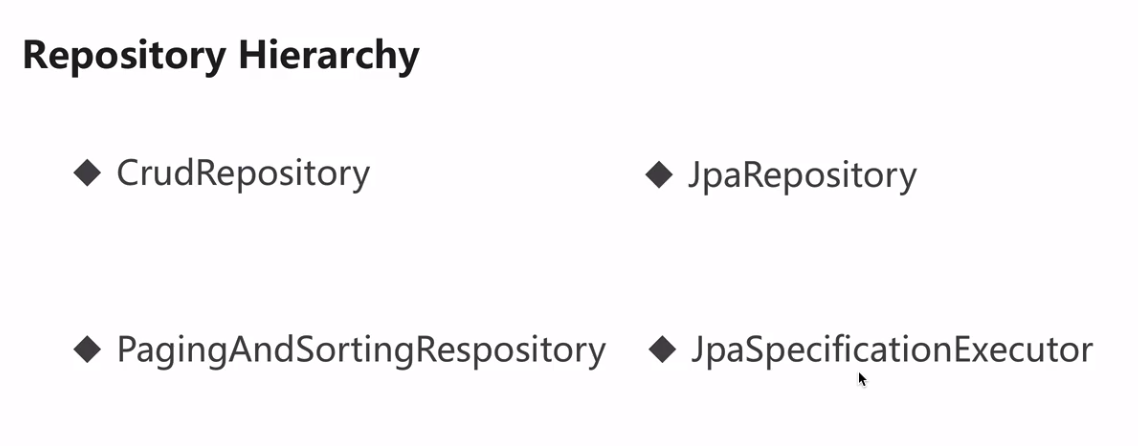
CURDRepository接口的实现方法:
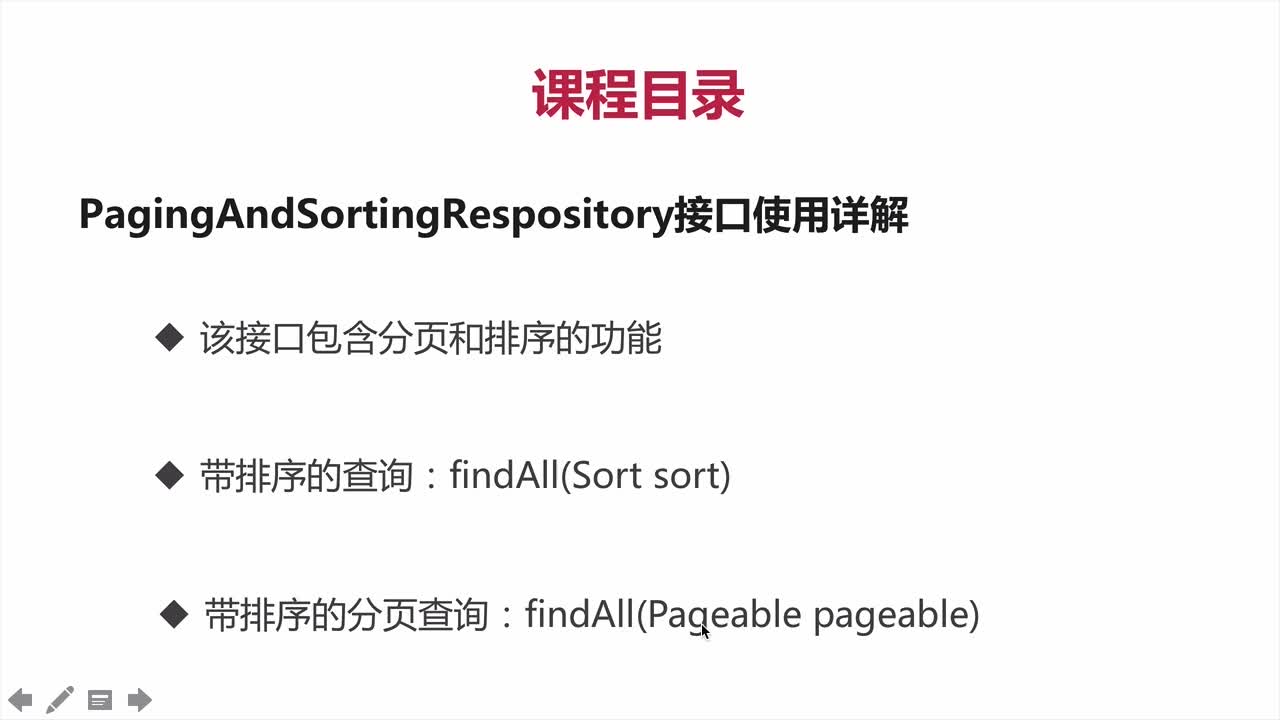
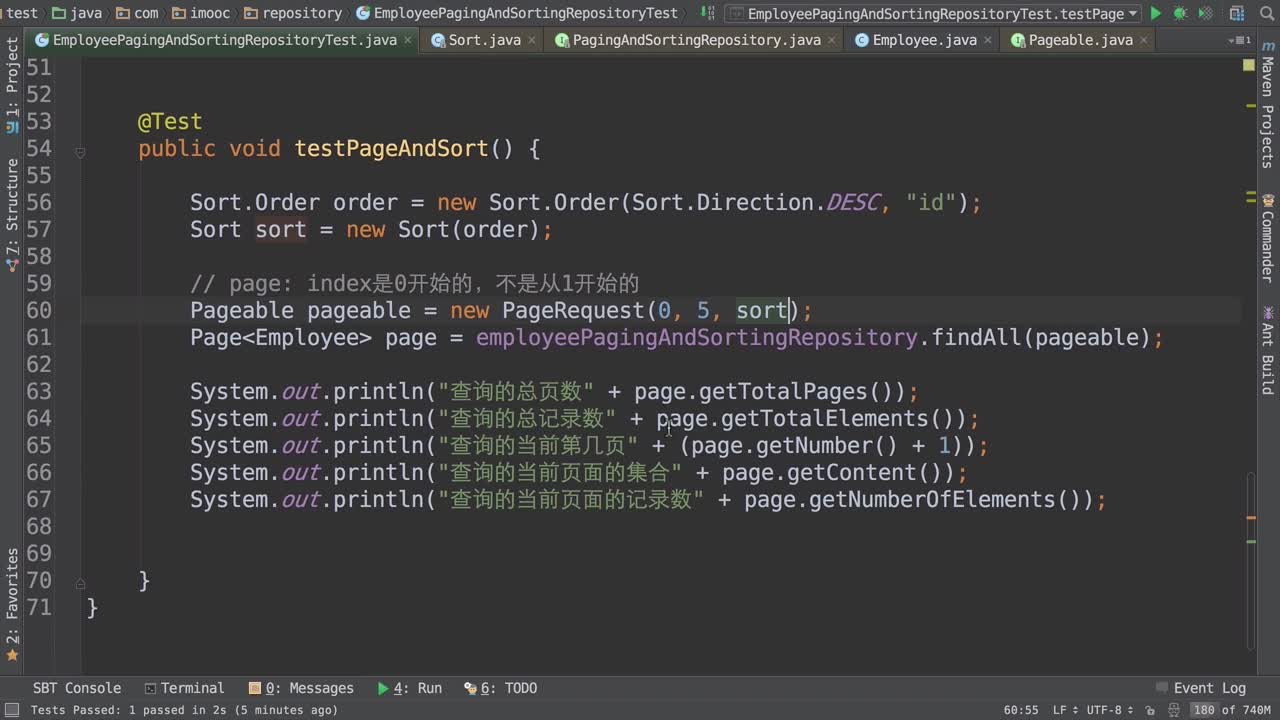
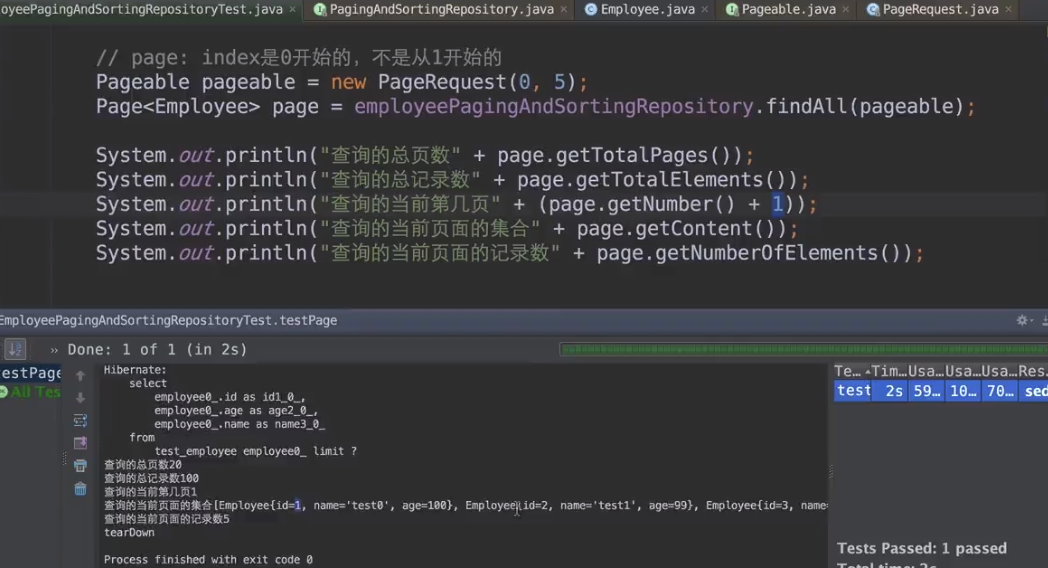
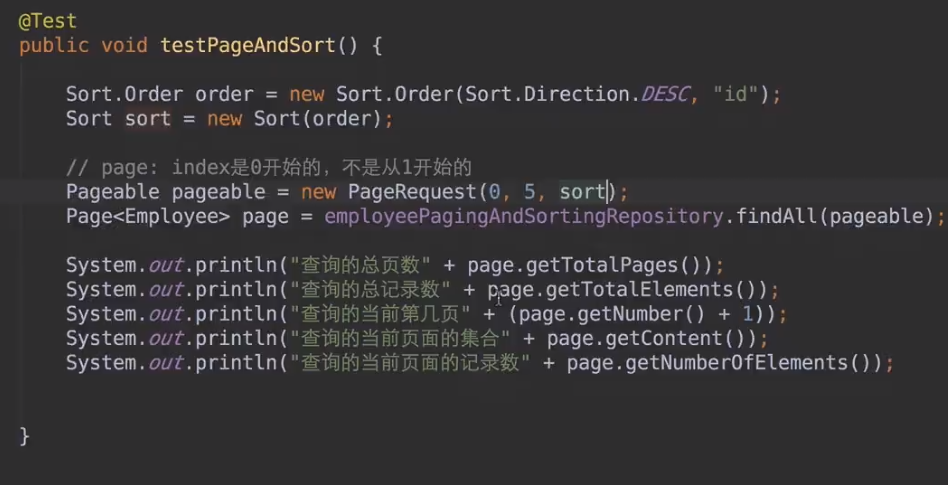
排序、分页接口:
增加过滤条件的接口:
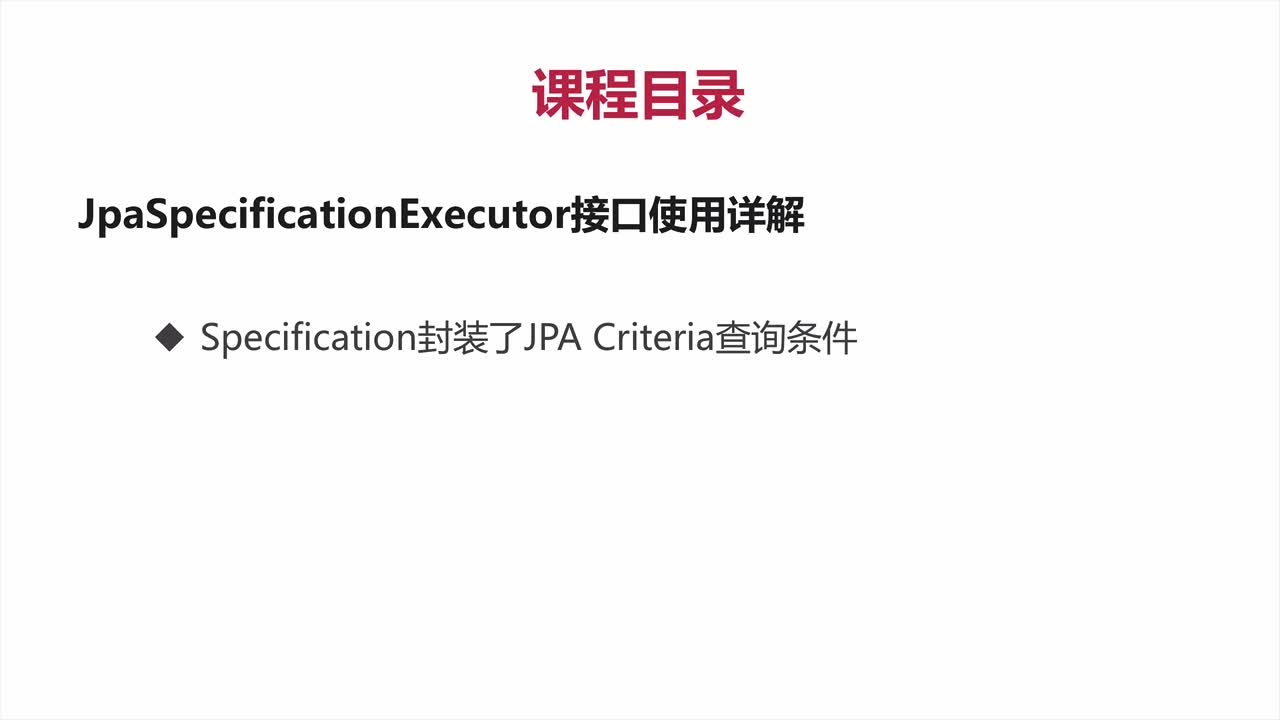
JPA接口:
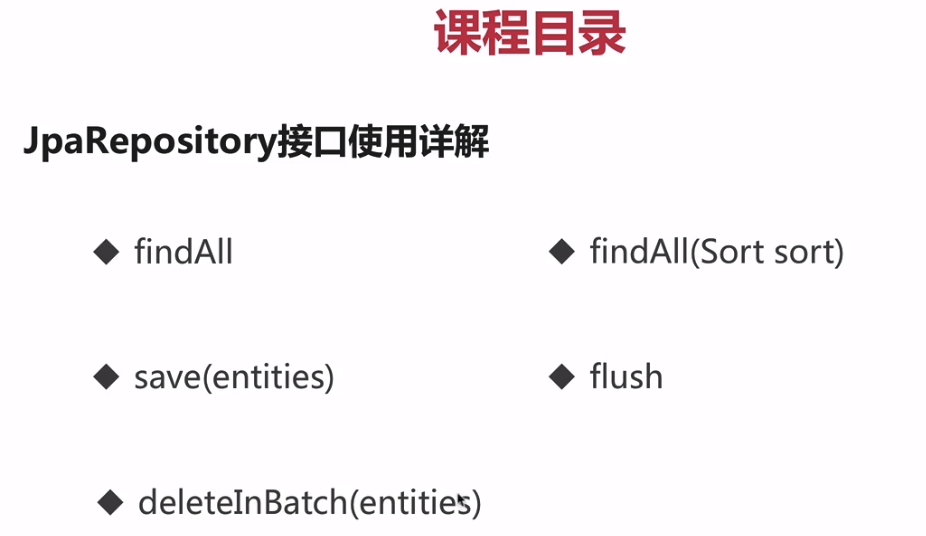
JpaRepository继承PagingAndSortingRepository,PagingAndSortingRepository又继承CrudRepository,也就是说我们平时自定义的接口只要继承JpaRepository,就相当于拥有了增删查改,分页,等等功能。
二、JPQL基础
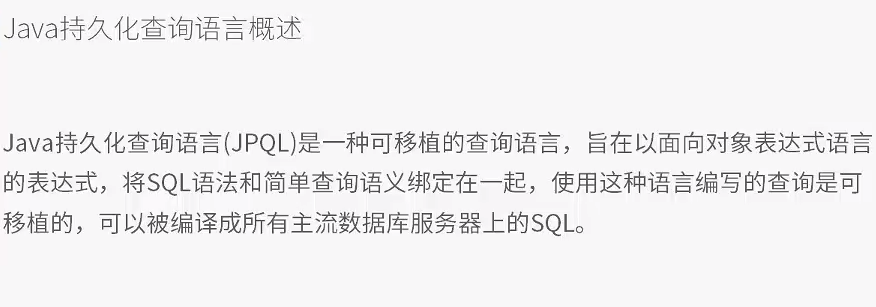
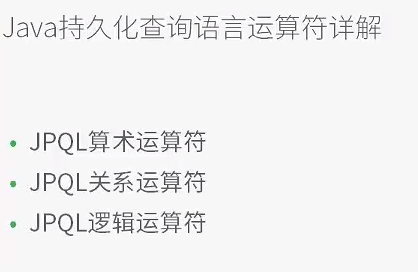
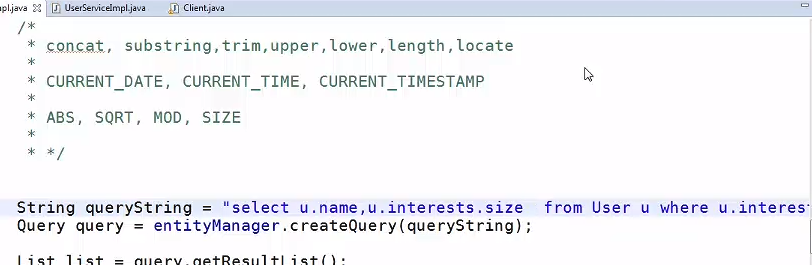
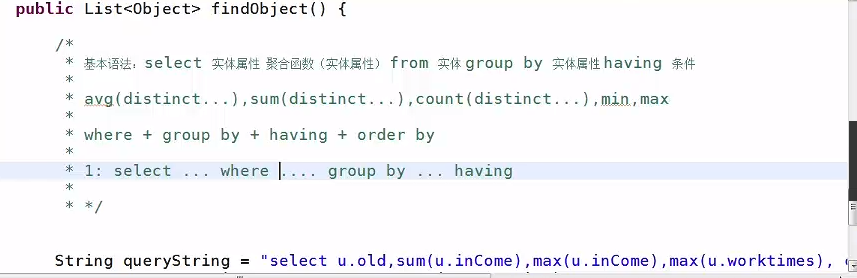
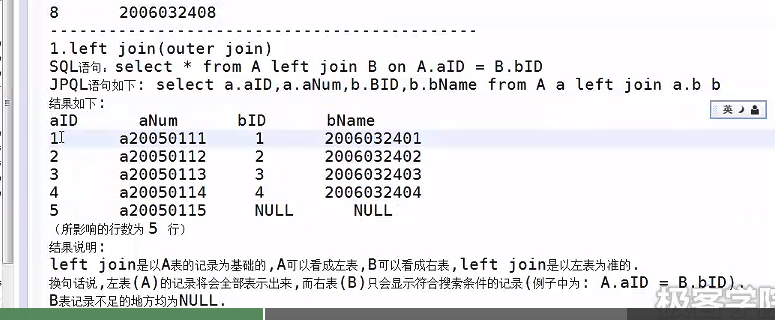
原来JPQL是JPA的一种查询语言,之前我是认为它和HQL是一样的。其实是两个概念。不过它们用起来还真是差不多。
无非就是:JPA对应JPQL,而Hibernate对应HQL而已。都是面向对象的查询语言。
2.1 Criteria查询
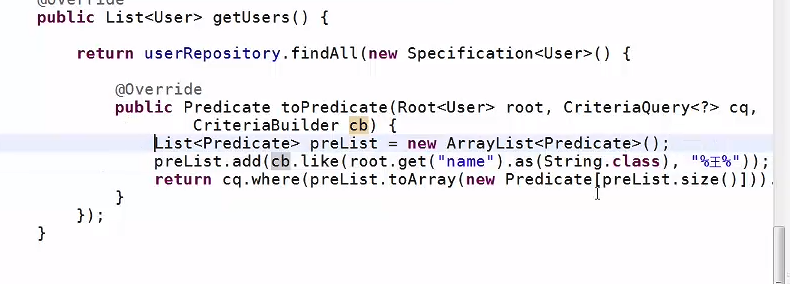
这里就涵盖了很多的条件了。
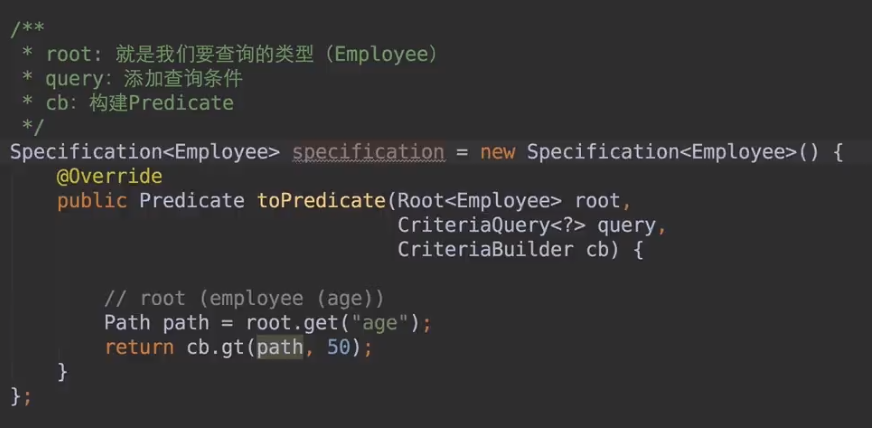
2.2 Specification接口使用
其实这个接口的API就和Criteria是一样的,看懂了Criteria API,这个接口就会用了。
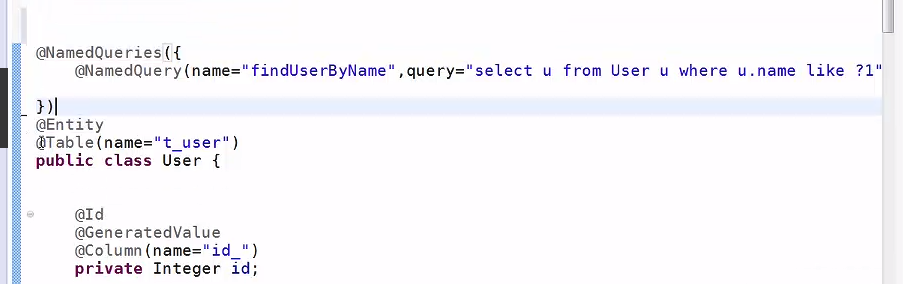
2.3 nameQuery注解

2.4query注解
2.5 小总结
https://www.zhihu.com/question/53706909
引入知乎的一段回答:
基本的增删改查和调用存储过程通过Spring Data JPA Repository来解决
稍微复杂的查询或是批量操作使用QueryDSL或Spring Data Specification的API来解决
特别特别复杂的查询操作可以使用Spring Data JPA Repository的注解定义native sql来解决
三、需要注意的地方
3.1 注解写在get方法上
刚开始用的时候我以为注解是写在属性上,但是遇到了很多的bug,在网上的解决方案又是很少。
遇到了一个Bug,在国内的论坛几乎都找不到答案:
org.hibernate.property.access.spi.PropertyAccessBuildingException: Could not locate field nor getter method for property named [cn.itheima.web.domain.Customer#cust_user_id]搞得头都大了都没有找到合适的方法,不知道是哪里错了。
后来去看了JPA的一对多、多对一的博文去参考了一下,感觉我还是没有错。
最后才发现大多数的博文都是在get方法上写注解的,而我就在属性上直接写注解了。
在Get方法上写注解的原因是不用破坏我们的封装性,我直接在属性上写注解,而属性是private来进行修饰的。这也导致了我出现这个错误的原因。
3.2级联 .ALL慎用
在保存数据的时候,我以为直接使用casecade.ALL是最方便的,但是还出现了Bug。后来找到了答案:http://blog.csdn.net/csujiangyu/article/details/48223641
3.3@OneToOne的注解
@Target({METHOD, FIELD}) @Retention(RUNTIME)public@interfaceOneToOne { Class targetEntity() default void.class; CascadeType[]cascade()default(); FetchType fetch() default EAGER; boolean optional() default true; String mappedBy() default "";}1,targetEntity 属性表示默认关联的实体类型,默认为当前标注的实体类。
2,cascade属性表示与此实体一对一关联的实体的级联样式类型。
3,fetch属性是该实体的加载方式,默认为即时加载EAGER
4,optional属性表示关联的该实体是否能够存在null值,默认为ture,如果设置为false,则该实体不能为null,
5, mapperBy属性:指关系被维护端
3.4@JoinColumn注解
@Target({METHOD, FIELD}) @Retention(RUNTIME)public@interfaceJoinColumn { String name() default ""; String referencedColumnName() default ""; boolean unique() default false; boolean nullable() default true; boolean insertable() default true; booleanupdatabledefaulttrue; String columnDefinition() default ""; String table() default "";}1,@JoinColumn注释是保存表与表之间关系的字段
2,如果不设置name,默认name = 关联表的名称+”-“+关联表主键的字段名,在上面实例3,中,默认为“address_id”
默认情况下,关联实体的主键一般是用来做外键的,但如果此时不想用主键作为外键,则需要设置referencedColumnName属性,如:
create table address ( id int(20) not null auto_increament, ref_id int(20) notn ull, province varchar(50), city varchar(50), postcode varchar(50), detail varchar(50), primary key(id))@OneToOne@JoinColumn(name="address_id", referencedColumnName="ref_id")private AddressEO address;四、扩展阅读
后来我使用了SpringData JPA用于一个简单的项目,从中也遇到了不少的问题和相关的没有接触到的知识点。下面我会给出当时搜索到的资料和遇到的问题以及解决方案
4.1遇到的问题以及解决资料
SpringData JPA遇到的问题有:
参考资料:
- https://www.cnblogs.com/sevenlin/p/sevenlin_sprindatajpa20150725.html
- CascadeType jpa spring 理解:最好在开始的使用只使用REFRESH,当遇到问题的时候再添加MERGER等等,不然一开始会很乱
- 一对多,多对一的配置问题。注解写在GETTER方法上,不要写在属性上。这样会避免很多不必要的错误
- 异常处理:
- detached entity passed to persist异常:
- JPA一堆多循环引用错误 HttpMessageNotWritableException:
五、总结
总的来说,如果是单表操作的话,那么SpringData JPA是十分方便的,如果是比较复杂的业务的话,那么使用SpringData JPA就有点麻烦了,因为它返回的是Object[],返回的结果还要手动进行封装,不太方便。灵活性很低...
更多的文章可往:文章的目录导航如果文章有错的地方欢迎指正,大家互相交流。习惯在微信看技术文章,想要获取更多的Java资源的同学,可以关注微信公众号:Java3y
版权声明
本文仅代表作者观点,不代表百度立场。
本文系作者授权百度百家发表,未经许可,不得转载。