
这篇文章只是简单展示一个基于HTTP请求如何抓取数据的文章,如觉得简单的朋友,后续我们再慢慢深入研究探讨。
图1:
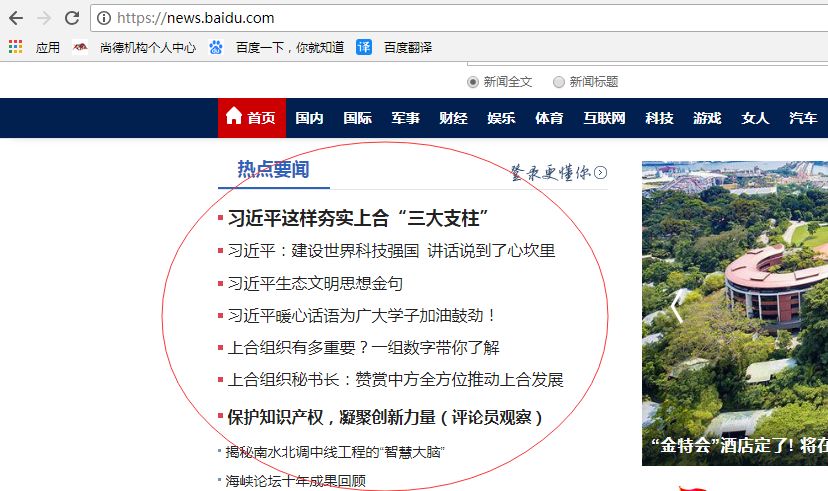
如图1,我们工作过程中,无论平台网站还是企业官网,总少不了新闻展示。如某天产品经理跟我们说,推广人员想要抓取百度新闻中热点要闻版块提高站点百度排名。
要抓取百度的热点要闻版本,首先我们先要了解站点https://news.baidu.com/请求头(Request headers)信息。
为什么要了解请求头(Request headers)信息?
原因是我们可以根据请求头信息某部分报文信息伪装这是一个正常HTTP请求而不是人为爬虫程序躲过站点封杀,而成功获取响应数据(Response data)。
如何查看百度新闻网址请求头信息?
图2:
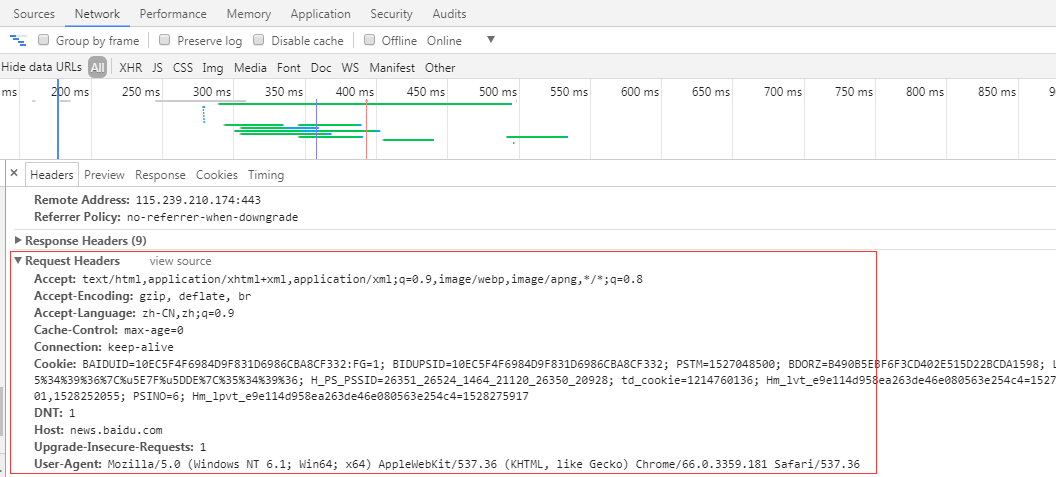
如图2,我们可以打开谷歌浏览器或者其他浏览器开发工具(按F12)查看该站点请求头报文信息。
从图中可以了解到该百度新闻站点可以接受text/html等数据类型;语言是中文;浏览器版本是Mozilla/5.0 (Windows NT 6.1; Win64; x64) AppleWebKit/537.36 (KHTML, like Gecko) Chrome/66.0.3359.181 Safari/537.36等等报文信息,在我们发起一个HTTP请求的时候直接携带该报文信息过去。当然并不是每个报文信息参数都必须携带过去,携带一部分能够请求成功即可。
那什么是响应数据(Response data)?
图3:
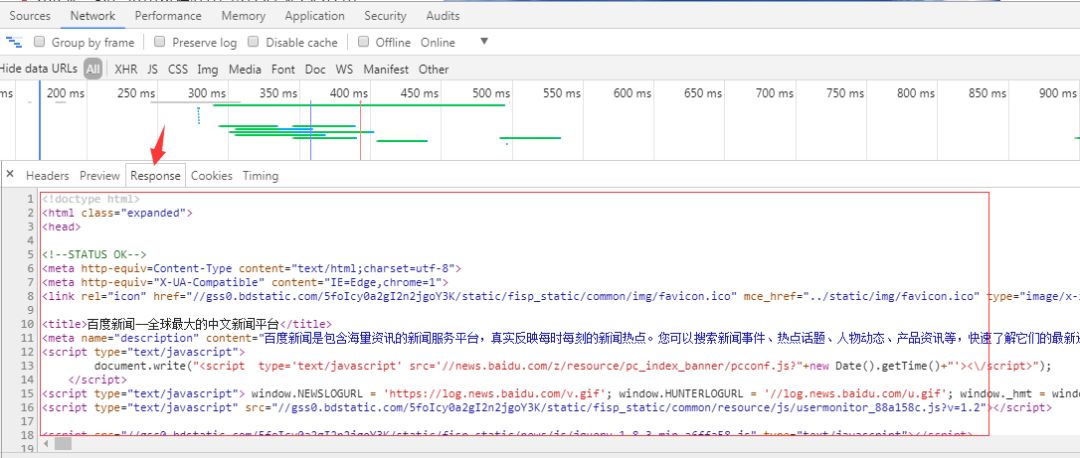
如图3,响应数据(Response data)是可以从谷歌浏览器或者其他浏览器中开发工具(按F12)查看到的,响应可以是json数据,可以是DOM树数据,方便我们后续解析数据。
当然您可以学习任意一门开发语言开发爬虫程序:C#、NodeJs、Python、Java、C++。
但这里主要讲述是C#开发爬虫程序。微软为我们提供两个关于HTTP请求HttpWebRequest,HttpWebResponse对象,方便我们发送请求获取数据。以下展示下C# HTTP请求代码:
private string RequestAction(RequestOptions options)
{
string result = string.Empty;
IWebProxy proxy = GetProxy();
var request = (HttpWebRequest)WebRequest.Create(options.Uri);
request.Accept = options.Accept;
//在使用curl做POST的时候, 当要POST的数据大于1024字节的时候, curl并不会直接就发起POST请求, 而是会分为俩步,
//发送一个请求, 包含一个Expect: 100 -continue, 询问Server使用愿意接受数据
//接收到Server返回的100 - continue应答以后, 才把数据POST给Server
//并不是所有的Server都会正确应答100 -continue, 比如lighttpd, 就会返回417 “Expectation Failed”, 则会造成逻辑出错.
request.ServicePoint.Expect100Continue = false;
request.ServicePoint.UseNagleAlgorithm = false;//禁止Nagle算法加快载入速度
if (!string.IsNullOrEmpty(options.XHRParams)) { request.AllowWriteStreamBuffering = true; } else { request.AllowWriteStreamBuffering = false; }; //禁止缓冲加快载入速度
request.Headers.Add(HttpRequestHeader.AcceptEncoding, "gzip,deflate");//定义gzip压缩页面支持
request.ContentType = options.ContentType;//定义文档类型及编码
request.AllowAutoRedirect = options.AllowAutoRedirect;//禁止自动跳转
request.UserAgent = "Mozilla/5.0 (Windows NT 6.1; Win64; x64) AppleWebKit/537.36 (KHTML, like Gecko) Chrome/66.0.3359.181 Safari/537.36";//设置User-Agent,伪装成Google Chrome浏览器
request.Timeout = options.Timeout;//定义请求超时时间为5秒
request.KeepAlive = options.KeepAlive;//启用长连接
if (!string.IsNullOrEmpty(options.Referer)) request.Referer = options.Referer;//返回上一级历史链接
request.Method = options.Method;//定义请求方式为GET
if (proxy != null) request.Proxy = proxy;//设置代理服务器IP,伪装请求地址
if (!string.IsNullOrEmpty(options.RequestCookies)) request.Headers[HttpRequestHeader.Cookie] = options.RequestCookies;
request.ServicePoint.ConnectionLimit = options.ConnectionLimit;//定义最大连接数
if (options.WebHeader != null && options.WebHeader.Count > 0) request.Headers.Add(options.WebHeader);//添加头部信息
if (!string.IsNullOrEmpty(options.XHRParams))//如果是POST请求,加入POST数据
{
byte[] buffer = Encoding.UTF8.GetBytes(options.XHRParams);
if (buffer != null)
{
request.ContentLength = buffer.Length;
request.GetRequestStream().Write(buffer, 0, buffer.Length);
}
}
using (var response = (HttpWebResponse)request.GetResponse())
{
////获取请求响应
//foreach (Cookie cookie in response.Cookies)
// options.CookiesContainer.Add(cookie);//将Cookie加入容器,保存登录状态
if (response.ContentEncoding.ToLower().Contains("gzip"))//解压
{
using (GZipStream stream = new GZipStream(response.GetResponseStream(), CompressionMode.Decompress))
{
using (StreamReader reader = new StreamReader(stream, Encoding.UTF8))
{
result = reader.ReadToEnd();
}
}
}
else if (response.ContentEncoding.ToLower().Contains("deflate"))//解压
{
using (DeflateStream stream = new DeflateStream(response.GetResponseStream(), CompressionMode.Decompress))
{
using (StreamReader reader = new StreamReader(stream, Encoding.UTF8))
{
result = reader.ReadToEnd();
}
}
}
else
{
using (Stream stream = response.GetResponseStream())//原始
{
using (StreamReader reader = new StreamReader(stream, Encoding.UTF8))
{
result = reader.ReadToEnd();
}
}
}
}
request.Abort();
return result;
}
还有一个我自定义传参对象,当然无论传入或者传出的对象都是你们根据自己实际业务需求定义的:
public class RequestOptions
{
/// <summary>
/// 请求方式,GET或POST
/// </summary>
public string Method { get; set; }
/// <summary>
/// URL
/// </summary>
public Uri Uri { get; set; }
/// <summary>
/// 上一级历史记录链接
/// </summary>
public string Referer { get; set; }
/// <summary>
/// 超时时间(毫秒)
/// </summary>
public int Timeout = 15000;
/// <summary>
/// 启用长连接
/// </summary>
public bool KeepAlive = true;
/// <summary>
/// 禁止自动跳转
/// </summary>
public bool AllowAutoRedirect = false;
/// <summary>
/// 定义最大连接数
/// </summary>
public int ConnectionLimit = int.MaxValue;
/// <summary>
/// 请求次数
/// </summary>
public int RequestNum = 3;
/// <summary>
/// 可通过文件上传提交的文件类型
/// </summary>
public string Accept = "*/*";
/// <summary>
/// 内容类型
/// </summary>
public string ContentType = "application/x-www-form-urlencoded";
/// <summary>
/// 实例化头部信息
/// </summary>
private WebHeaderCollection header = new WebHeaderCollection();
/// <summary>
/// 头部信息
/// </summary>
public WebHeaderCollection WebHeader
{
get { return header; }
set { header = value; }
}
/// <summary>
/// 定义请求Cookie字符串
/// </summary>
public string RequestCookies { get; set; }
/// <summary>
/// 异步参数数据
继续阅读与本文标签相同的文章
C#爬虫,让你不再觉得神秘
-
只有它让我打消了对电动车各种“焦虑”,试驾小鹏G3 2020款
2026-05-14栏目: 教程
-
小鹏P7售价28.3-39.6万元,何小鹏称Model 3毫无竞争力
2026-05-14栏目: 教程
-
Vision M NEXT 概念车,宝马面向“未来”的产品张什么样?
2026-05-14栏目: 教程
-
大反转!谷歌态度开始“服软”,华为即将获得GMS许可
2026-05-14栏目: 教程
-
Python 超简单实现9种图像风格迁移
2026-05-14栏目: 教程