
Vue中的动态组件与v-once指令
案例:点击按钮,child-one 变成 child-two;child-two 变成 child-one
<!DOCTYPE html><html lang="en"><head> < charset="UTF-8"> < >Vue中的动态组件与v-once指令</ > < src = "./vue.js"></ ></head><body> <div id ='root'> <child-one v-if="type ==='child-one'"> </child-one> <child-two v-if="type ==='child-two'"> </child-two> <button @click="handleBtnClick">change</button> </div> < > Vue.component('child-one',{ template:'<div>child-one</div>' }) Vue.component('child-two',{ template:'<div>child-two</div>' }) var vm = new Vue({ el:'#root', data:{ type:'child-one' }, methods:{ handleBtnClick:function(){ this.type = (this.type ==='child-one' ? 'child-two' : 'child-one'); } } }) </ > </body></html>输出:
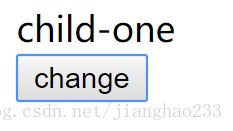
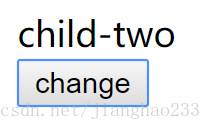
方法二:动态组件
<component></component> 就是动态组件
<body> <div id ='root'> <component :is="type"></component> <button @click="handleBtnClick">change</button> </div>输出:完全和上面一样
动态组件:根据 is 里面数据的变化自动的加载不同的组件,在本例中,type 刚开始是 type-one ,这时动态组件就会显示
child-one 这个组件,点击按钮之后,child-noe 变成了 child-two , is 发现 type 中的值变成了 child-two ,就会将 child-noe 销毁,显示 child-two组件;
v-once
运用动态组件:(每次点击,在 Vue 底层都会销毁一次组件,创建一次组件,这样会消耗内存)使用 v-once 可减少内存损耗
Vue.component('child-one',{ template:'<div v-once>child-one</div>' }) Vue.component('child-two',{ template:'<div v-once>child-two</div>' })将 v-once 写入 子组件中,在第一次运行时,会将 child-one 和 child-two 存入内存中,不会销毁;当下次再次调用时,直接从内存中拿出来,不需要再次创建组件,减少 内存 损耗,可以有效提高静态内存展示效率
继续阅读与本文标签相同的文章
上一篇 :
初识 Vue(20)---(作用域插槽)
-
【Android UI】顶部or底部菜单的循环滑动效果一
2026-05-26栏目: 教程
-
【Android UI】侧滑栏的使用(HorizontalScrollView控件的使用)
2026-05-26栏目: 教程
-
Android问题解决
2026-05-26栏目: 教程
-
【Android UI】自定义带按钮的标题栏
2026-05-26栏目: 教程
-
Android 设置 横屏 竖屏
2026-05-26栏目: 教程