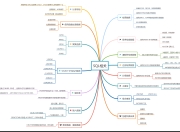
Sed 行编辑器
sed(stream editor):
用来操作纯 ASCII 码的文本
Sed 一次处理一行内容
处理时,把当前处理的行存储在临时缓冲区中,称之为“模式空间”(pa...
Sed 行编辑器
- sed(stream editor):
- 用来操作纯 ASCII 码的文本
- Sed 一次处理一行内容
处理时,把当前处理的行存储在临时缓冲区中,称之为“模式空间”(pattern space) - 可以指定仅仅处理哪些行,Sed 符合模式条件的处理,不符合条件的不予处理
- 处理完成之后把缓冲区的内容送往屏幕
- 接着处理下一行,这样不断重复,直到文件末尾
-
sed命令格式
sed [参数] ‘命令’ file -
Sed 对字符的处理
p 显示,将某个选择的数据打印显示。通常 p 会与参数 sed -n 一起执行
d 删除,显示模式空间删除指定行后的内容,不会对原文件数据删除
a 添加,a 的后面可以接字符串,该字符串会在当前指定行的下一行出现
c 更改, c 的后面可以接字符串,该字符串可以取代 n1,n2 之间的行
i 插入, i 的后面可以接字符串,该字符串会在当前指定行的上一行出现 -
p
[root@server19 mnt]# cat -n /etc/fstab
    1
    2	#
    3	# /etc/fstab
    4	# Created by anaconda on Wed May  7 01:22:57 2014
    5	#
    6	# Accessible filesystems, by reference, are maintained under \'/dev/disk\'
    7	# See man pages fstab(5), findfs(8), mount(8) and/or blkid(8) for more info
    8	#
    9	UUID=9bf6b9f7-92ad-441b-848e-0257cbb883d1 /                       xfs     defaults        1 1


[root@server19 mnt]# sed -n \'/\\:/p\' /etc/fstab   ##显示含有:的行(:需要转译)
# Created by anaconda on Wed May  7 01:22:57 2014
[root@server19 mnt]# sed -n \'/^#/p\' /etc/fstab   ##显示以#开头的行
#
# /etc/fstab
# Created by anaconda on Wed May  7 01:22:57 2014
#
# Accessible filesystems, by reference, are maintained under \'/dev/disk\'
# See man pages fstab(5), findfs(8), mount(8) and/or blkid(8) for more info
#
[root@server19 mnt]# sed -n \'/^#/!p\' /etc/fstab   ##显示不以#开头的行(!)

UUID=9bf6b9f7-92ad-441b-848e-0257cbb883d1 /                       xfs     defaults        1 1
[root@server19 mnt]# sed -n \'2,6p\' /etc/fstab     ##显示2-6行
#
# /etc/fstab
# Created by anaconda on Wed May  7 01:22:57 2014
#
# Accessible filesystems, by reference, are maintained under \'/dev/disk\'
[root@server19 mnt]# sed -n \'2,6!p\' /etc/fstab

# See man pages fstab(5), findfs(8), mount(8) and/or blkid(8) for more info
#
UUID=9bf6b9f7-92ad-441b-848e-0257cbb883d1 /                       xfs     defaults        1 1
[root@server19 mnt]# sed -n \'2p;6p\' /etc/fstab    ##显示第2行和第6行
#
# Accessible filesystems, by reference, are maintained under \'/dev/disk\'
d
[root@server19 mnt]# sed \'/^UUID/d\' /etc/fstab  ##删除以UUID开头的行

#
# /etc/fstab
# Created by anaconda on Wed May  7 01:22:57 2014
#
# Accessible filesystems, by reference, are maintained under \'/dev/disk\'
# See man pages fstab(5), findfs(8), mount(8) and/or blkid(8) for more info
#
[root@server19 mnt]# sed \'/^#/d\' /etc/fstab   ##删除以#开头的行

UUID=9bf6b9f7-92ad-441b-848e-0257cbb883d1 /                       xfs     defaults        1 1
[root@server19 mnt]# sed \'/^$/d\' /etc/fstab   ##删除空行
#
# /etc/fstab
# Created by anaconda on Wed May  7 01:22:57 2014
#
# Accessible filesystems, by reference, are maintained under \'/dev/disk\'
# See man pages fstab(5), findfs(8), mount(8) and/or blkid(8) for more info
#
UUID=9bf6b9f7-92ad-441b-848e-0257cbb883d1 /                       xfs     defaults        1 1
[root@server19 mnt]# sed \'1,4d\' /etc/fstab    ##删除1-4行
#
# Accessible filesystems, by reference, are maintained under \'/dev/disk\'
# See man pages fstab(5), findfs(8), mount(8) and/or blkid(8) for more info
#
UUID=9bf6b9f7-92ad-441b-848e-0257cbb883d1 /                       xfs     defaults        1 1
a
[root@server19 mnt]# cat hello.sh
hello
[root@server19 mnt]# sed \'/hello/aworld\' hello.sh
hello
world
[root@server19 mnt]# sed \'s/hello/hello world/g\' hello.sh
hello world
[root@server19 mnt]# sed \'s/hello/hello\\nworld/g\' hello.sh
hello
world
c
[root@server19 mnt]# sed \'/hello/chello world\' hello.sh
hello world
i
[root@server19 mnt]# sed \'/hello/iworld\\nwestos\' hello.sh
world          ##默认加在最上面
westos
hello
- 练习:
- 将httpd服务的端口80改为8080
[root@server19 mnt]# vim dk.sh
#!/bin/bash
yum install httpd -y $> /dev/null
sed -i \"/^Listen/cListen $1\" /dev/httpd/conf/httpd.conf
echo -e \"Port has changed!\"
echo \"Now,port is $1!\"
ststemctl restart httpd
版权声明
本文仅代表作者观点,不代表百度立场。
本文系作者授权百度百家发表,未经许可,不得转载。