在我脑子里还没有Material Design这种概念,就我个人而言,PC端应用扁平化设计必须成...
在我脑子里还没有Material Design这种概念,就我个人而言,PC端应用扁平化设计必须成为首选,手当其冲的两款即时通讯旺旺和QQ早就完成UI扁平化的更新,然而客户端扁平化的设计本身就存在天生的缺陷,手指和鼠标箭头最大的区别是在于前者有温度和感觉的,这时候Material Design应运而生。
关于Material Design,材料设计你大概已经知道了,它介于拟物于扁平(qq,旺旺PC端应用)之间的设计。Material Design有着自己的目标,不仅仅为了好看整体而已,它要让不同设备的屏幕表现出一直、美观的视觉体验以及交互。主要包括的控件有TabLayout、TextInputLayout、SwitchCompat、Card、SnackBar、BottomSheet、Shadows、FloatingActionButton、RecycleView、NavigationView....
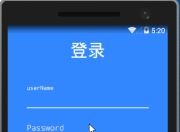
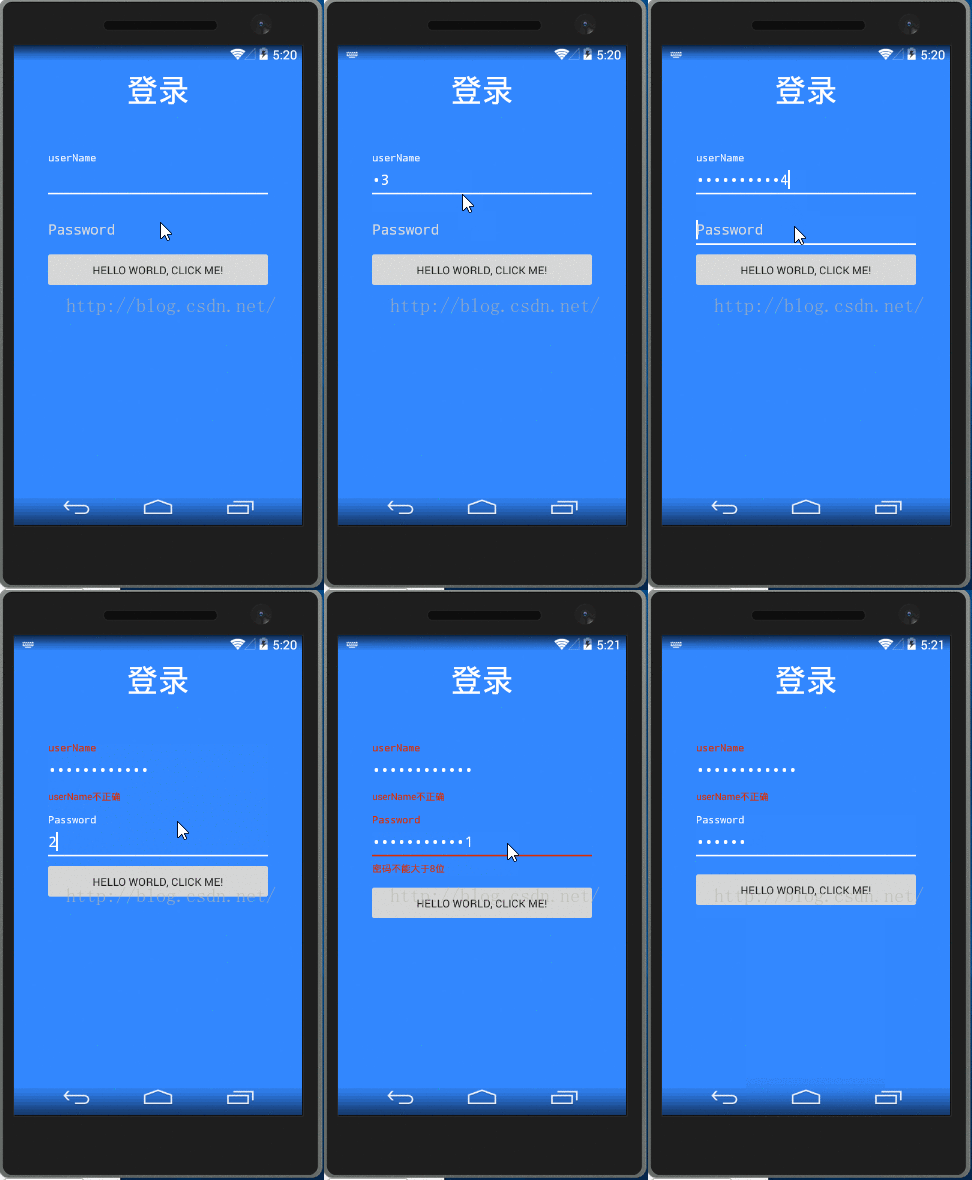
之前知乎app的登录界面好像是这个效果。这里我们就来体验一下TextInputLayout的具体效果:最终的效果图(在真机上有一定差距)如下:
这篇文章主要分为以下几个部分
- 首先通过nuget引入xamarin.android.design.widget
- TextInputLayout布局
- TextInputLayout文本框样式修改
- 通过单击事件验证TextInputLayout文本框错误的提示
nuget引入xamarin.android.design.widget
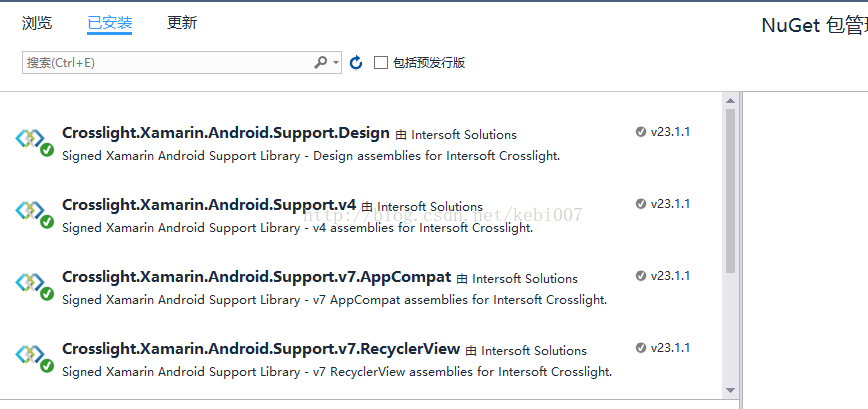
TextInputLayout是设计兼容包下的内容,Material Design仅支持android5.0及以上版本,当V7 AppCompat结合使用才能兼容到android2.1。在引入design包时将自动引入V7兼容包,就是引入Design即可如图:
 TextInputLayout布局
<?xml version="1.0" encoding="utf-8"?><LinearLayout xmlns:android="http://schemas.android.com/apk/res/android" android:orientation="vertical" android:layout_width="match_parent" android:layout_height="match_parent" android:background="@color/color_primary"> <RelativeLayout android:layout_width="match_parent" android:layout_height="match_parent" android:paddingTop="30dp" android:paddingLeft="40dp" android:paddingRight="40dp"> <TextView android:id="@+id/tvTitle" android:layout_width="match_parent" android:layout_height="wrap_content" android:layout_alignParentTop="true" android:layout_marginBottom="50dp" android:gravity="center" android:text="登录" android:textSize="40sp" android:textColor="@color/color_white"/> <android.support.design.widget.TextInputLayout android:id="@+id/userNameContainer" android:layout_width="match_parent" android:layout_height="wrap_content" android:layout_below="@id/tvTitle" android:layout_marginTop="4dp"> <EditText android:layout_width="match_parent" android:layout_height="50dp" android:id="@+id/userName" android:inputType="textPassword" android:textColor="@color/color_white" android:textColorHint="@color/color_dedede" android:hint="userName"/> </android.support.design.widget.TextInputLayout> <android.support.design.widget.TextInputLayout android:id="@+id/passWordContainer" android:layout_width="match_parent" android:layout_height="wrap_content" android:layout_marginTop="4dp" android:layout_below="@id/userNameContainer"> <EditText android:layout_width="match_parent" android:layout_height="50dp" android:id="@+id/passWord" android:inputType="textPassword" android:textColor="@color/color_white" android:hint="Password"/> </android.support.design.widget.TextInputLayout> <Button android:id="@+id/MyButton" android:layout_width="match_parent" android:layout_height="50dp" android:layout_below="@id/passWordContainer" android:text="@string/Hello"/> </RelativeLayout></LinearLayout>
注意的是TextInputLayout内只能放TextView控件,并且不能单独使用,只用布局就可以实现这种获取焦点hint上滑的动画效果。当然这和你的界面要求还是有一定差距的,所以这TextView的一些样式还需要自定义。
TextInputLayout文本框样式修改
上面布局的代码中可以发现,属性textColorHint 并没有效果,在style中设置才有效果。看一下Theme
<style name="MyTheme" parent="Theme.AppCompat.Light.NoActionBar"> <item name="colorAccent">#ffffff</item> <item name="android:textColorHint">@color/color_dedede</item> <item name="colorControlNormal">@color/color_dedede</item> <item name="colorControlActivated">@color/color_white</item> </style>
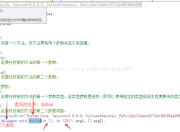
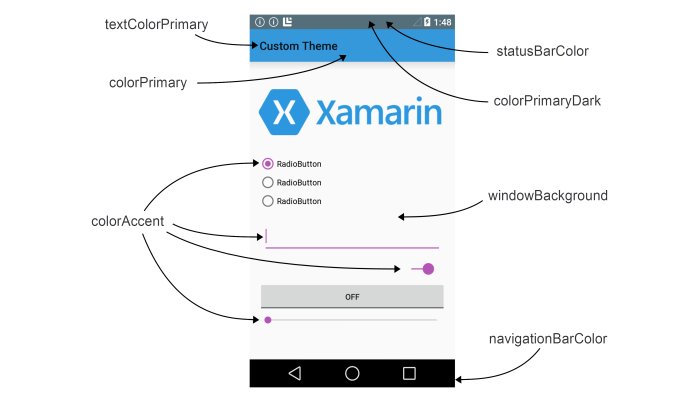
?colorAccent 是哪里的颜色?是系统特定内容的颜色,类似的颜色statusBarColor、windowBackground,看这张图你就明白了
文本没有获取焦点的文字颜色:android:textColorHint
下划线没有获取焦点的颜色:colorControlNormal
下划线获取焦点的颜色:colorControlActivated
TextInputLayout取值:不需要通过获取TextView这样的string userNameText = userName.EditText.Text;
通过事件验证TextInputLayout文本框错误的提示
在客户端必须的做字段的验证,所以我们通过TextView的TextChanged事件和FoucsChange事件来看看。
protected override void OnCreate(Bundle bundle) { base.OnCreate(bundle); SetContentView(Resource.Layout.Main); TextInputLayout userName = FindViewById<TextInputLayout>(Resource.Id.userNameContainer); TextInputLayout passWord= FindViewById<TextInputLayout>(Resource.Id.passWordContainer); passWord.EditText.TextChanged += (s, e) => { System.Diagnostics.Debug.WriteLine(e.Start); System.Diagnostics.Debug.WriteLine(e.Text); if (e.Start > 8) { passWord.ErrorEnabled = true; passWord.Error = "密码不能大于8位"; } else { passWord.ErrorEnabled = false; } }; userName.EditText.FocusChange += (s, e) => { if (!e.HasFocus) { if (ValidateTel(userName.EditText.Text)) { userName.ErrorEnabled = false; } else { userName.ErrorEnabled = true; userName.Error = "userName不正确"; } } }; } private bool ValidateTel(string tel) { string matchReg = "^1[3|4|5|7|8][0-9]{9}$"; return System.Text.RegularExpressions.Regex.IsMatch(tel,matchReg); }虽然你也可以在TextInputLayout自带的属性带实现这个效果,那样太死板了。如果你真的要写在Xml文件里你可以这样的,首先在根布局中添加 xmlns:app="http://schemas.android.com/apk/res-auto" 使用自带控件的属性。常见的属性:app:errorEnabled="true"
app:counterEnabled="true"
app:counterMaxLength="4"
app:counterEnabled="true"
app:counterMaxLength="4"
app:counterTextAppearance="@style/style1" 默认的文本框颜色和大小
app:counterOverflowTextAppearance="@style/style1" 超出计数默认的文本框颜色和大小。还有一些样式也可以通过TextInputlayout自带的属性设置
作者:张林
标题:仿知乎app登录界面(Material Design设计框架拿来就用TexnInputLayout
原文地址:http : //blog.csdn.net/kebi007/article/details/70470754
转载随意注明出处版权声明
本文仅代表作者观点,不代表百度立场。
本文系作者授权百度百家发表,未经许可,不得转载。